Conjuly
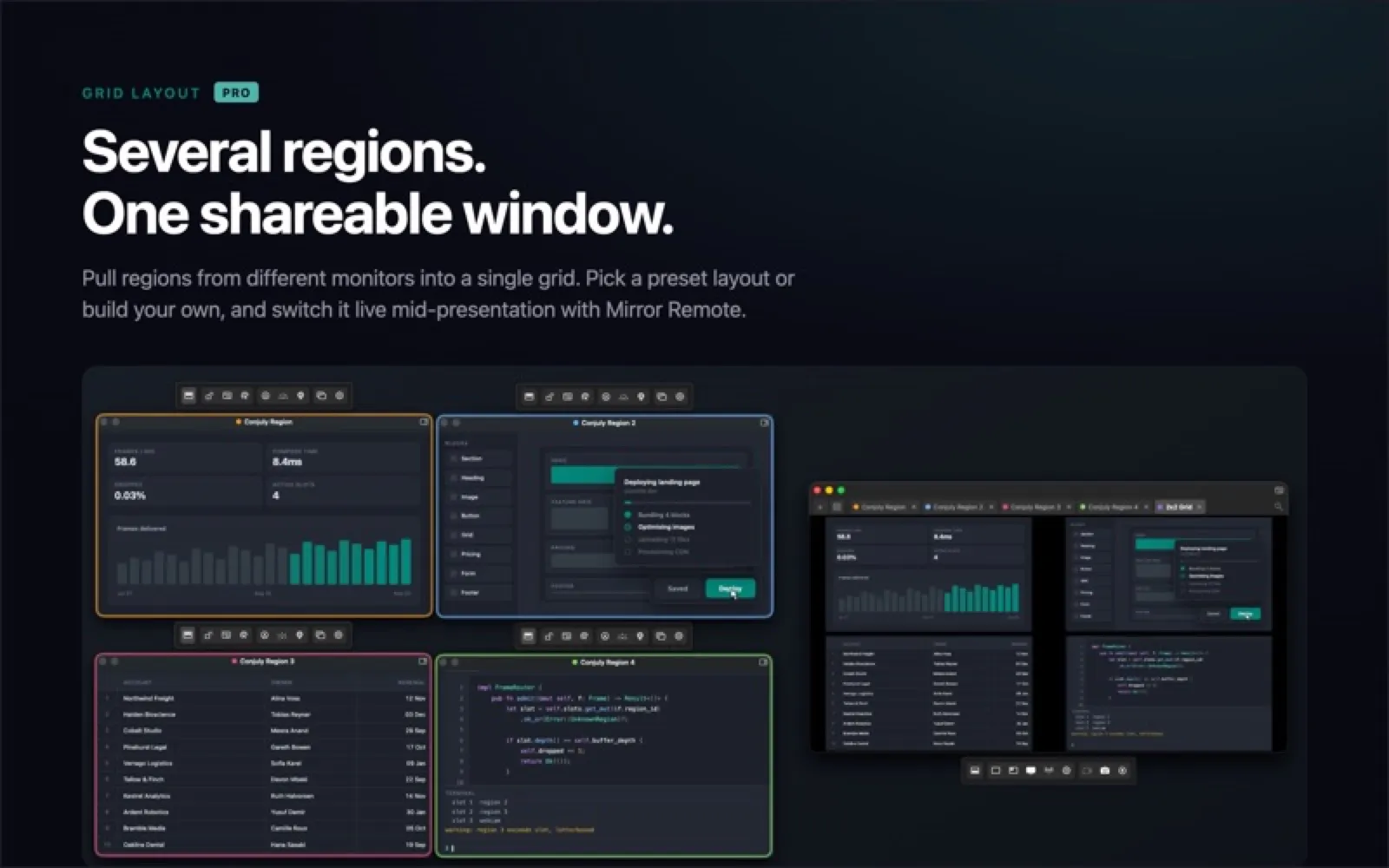
Share or record just the part of the screen you draw.
About Conjuly
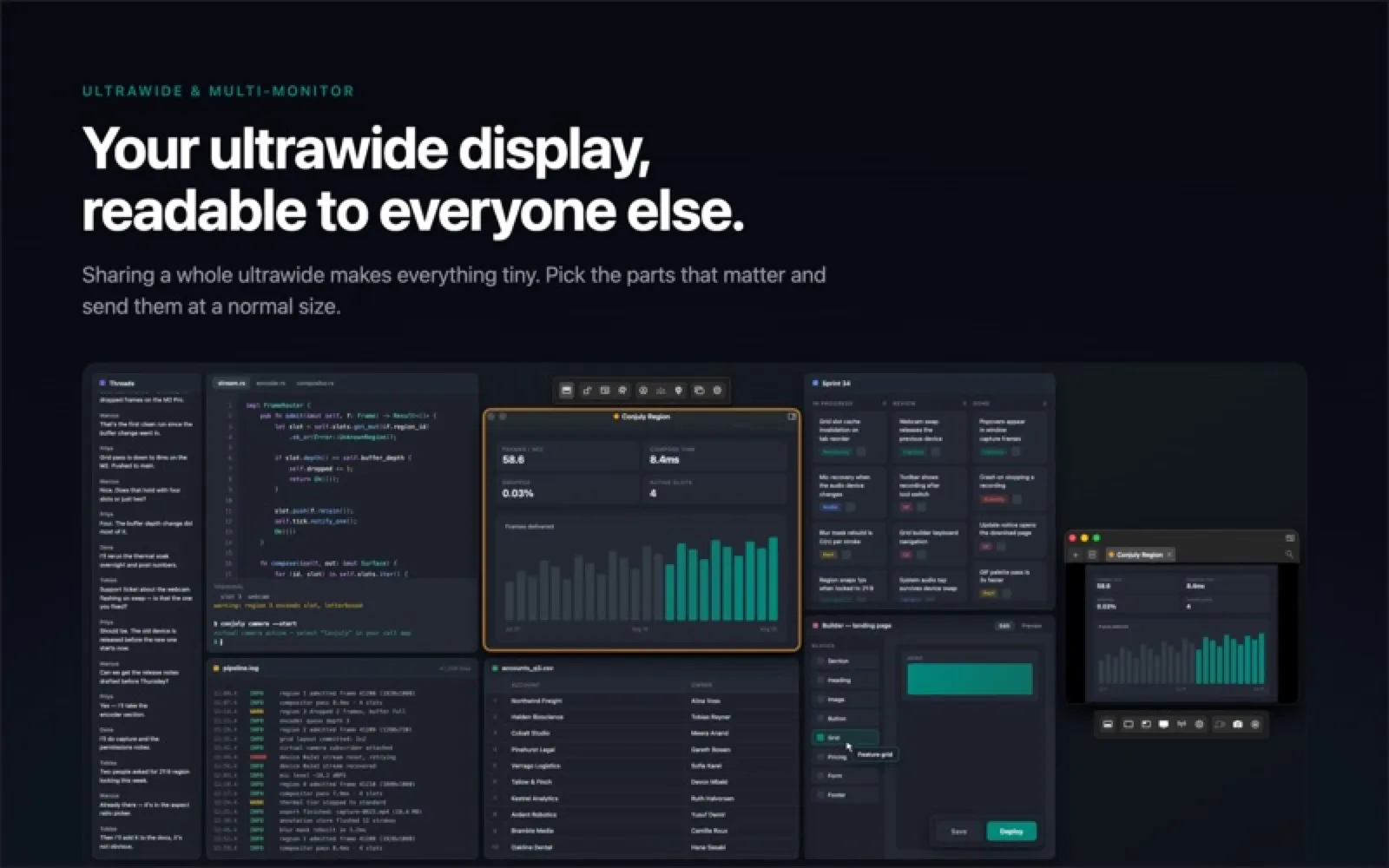
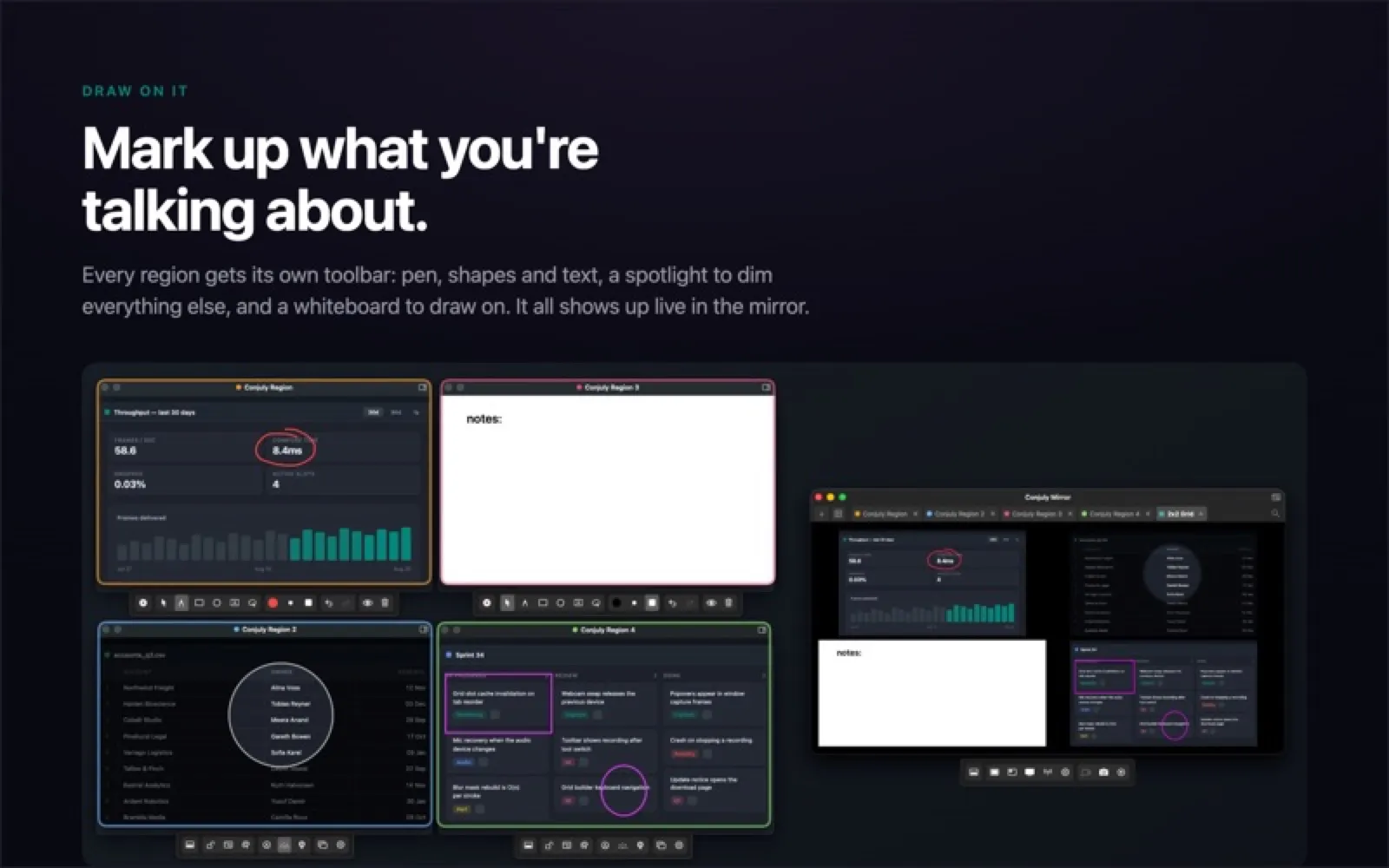
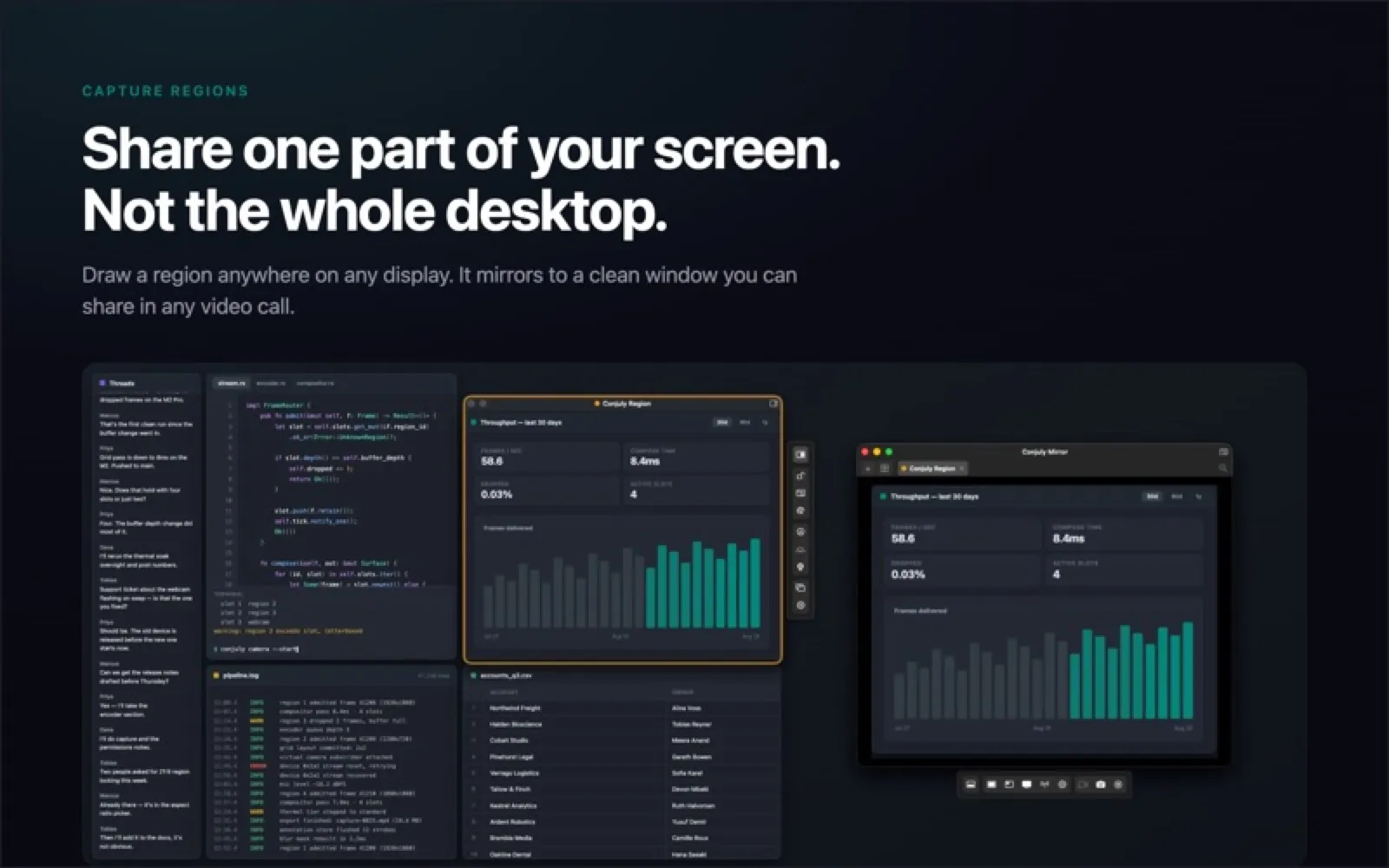
Conjuly mirrors a region you draw on any display into a clean window you can share in Zoom, Teams or Meet, so notifications and the rest of the desktop stay off the call, with annotations, a spotlight and click-through for each region. Pro composes several regions from different monitors into one grid, records them to MP4, MOV or GIF with microphone and system audio, blurs sensitive areas live, hides chosen apps, adds a webcam overlay, and offers a virtual camera that installs a camera extension you approve in macOS. Exports can optionally upload to your own Dropbox or Google Drive. No account and no analytics; the direct-download Pro license is checked with Polar. Needs macOS 15 or later.
Install Conjuly
Download it from the links above, or install it from the Terminal:
mas install 6758891488 Mac App Store CLI: This works once your Apple Account has the app. The first time, get it from the Mac App Store.
Questions about Conjuly
Is Conjuly free?
Conjuly is free to download and use, with paid upgrades for extra features. Price: Free for one capture region; Pro is $4.99 once direct for up to 3 Macs, or $6.99 on the Mac App Store.
Where can I download Conjuly for Mac?
Download Conjuly from the Mac App Store and the developer's website (conjuly.com). MacWorthy links only to official sources.
Can I install Conjuly from the Terminal?
Yes. With Mac App Store CLI, run mas install 6758891488. This works once your Apple Account has the app. The first time, get it from the Mac App Store.
Which macOS version does Conjuly need?
The Mac App Store version of Conjuly requires macOS 15.0 or later.
What are good alternatives to Conjuly?
Other video & capture apps for Mac worth a look are CleanShot X (one-time purchase), Make It a Video (free + pro), Window Capture (free + pro) and NeatShot (free).
Other video & capture apps like Conjuly
CleanShot X
The screenshot tool that does everything.

Make It a Video
Screen recorder and editor that cuts the ums and lets you edit by deleting words.
Window Capture
A small screen recorder for a window, a region or a display, with Mac audio.
NeatShot
Free screenshots and screen recording that stay on your Mac.
PulseShot
Screenshots and screen recording, with markup you can speak.
SimplyShot
Capture, record and edit without switching apps.
QuickShot
Screenshots, pins, OCR and recording from one shortcut.

Shotbase
Screenshots, recordings and web captures in one library, sorted by on-device AI.