
Mouse Jiggler
Keeps the Mac awake by moving the pointer on a schedule you set.
About Mouse Jiggler
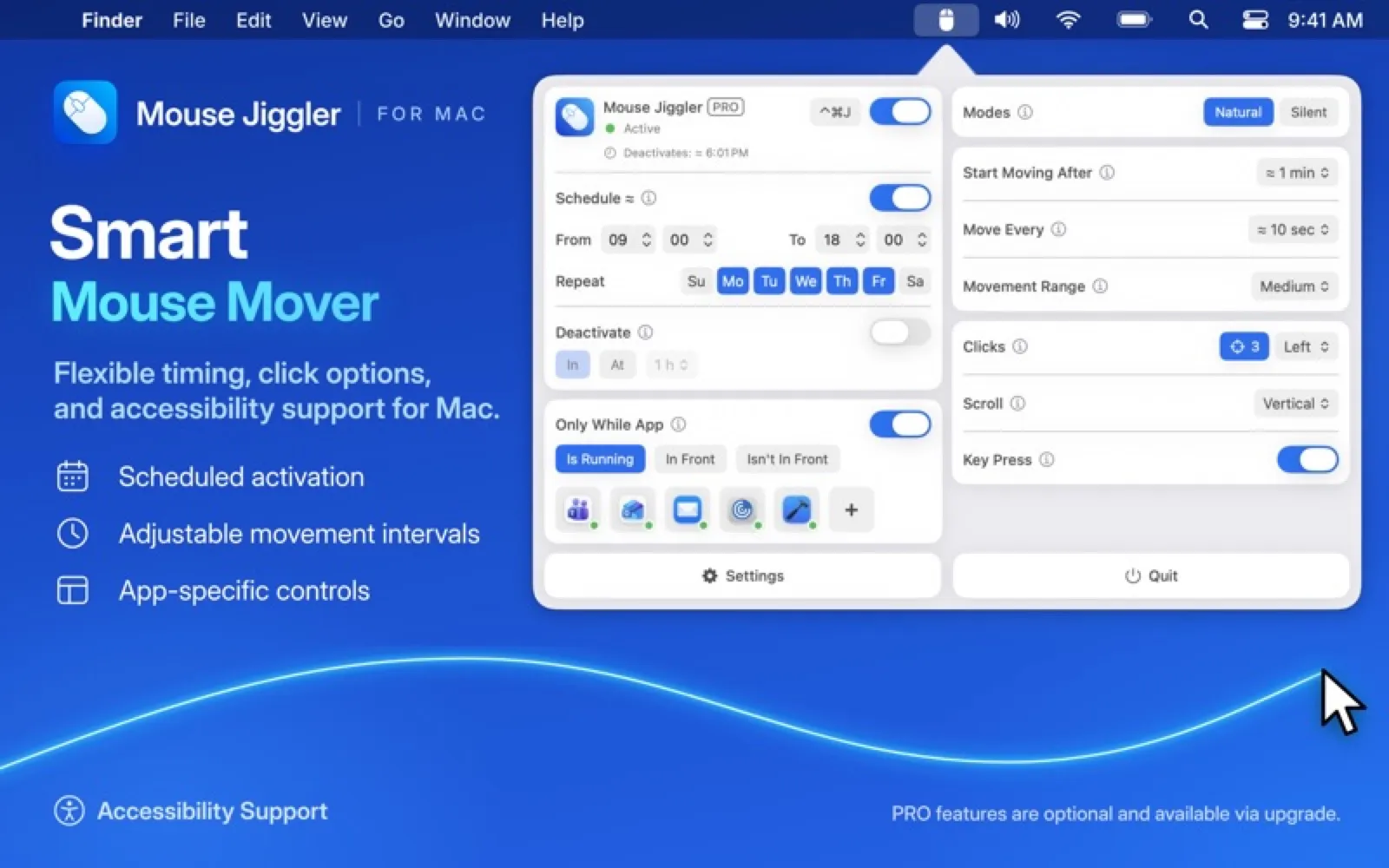
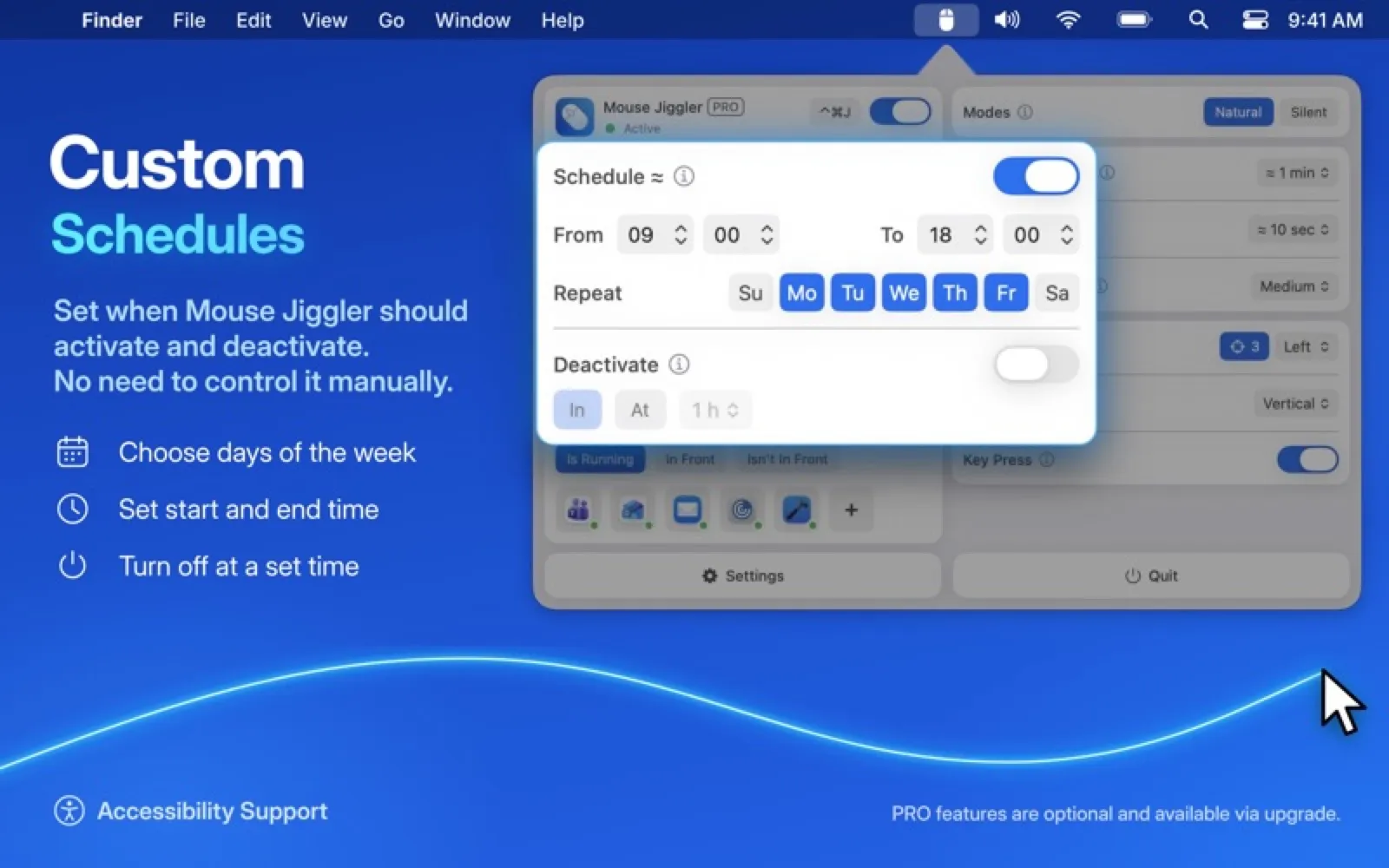
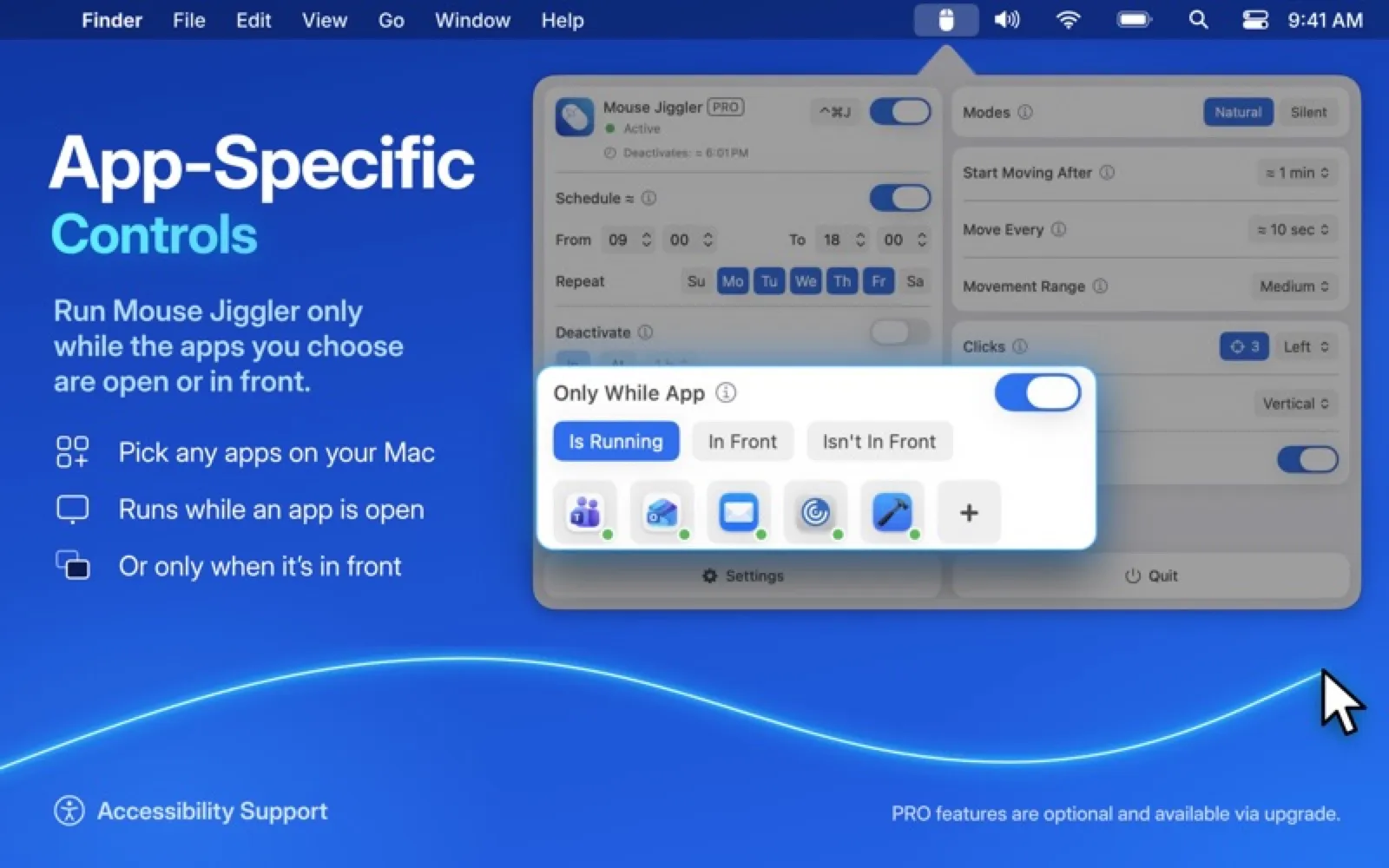
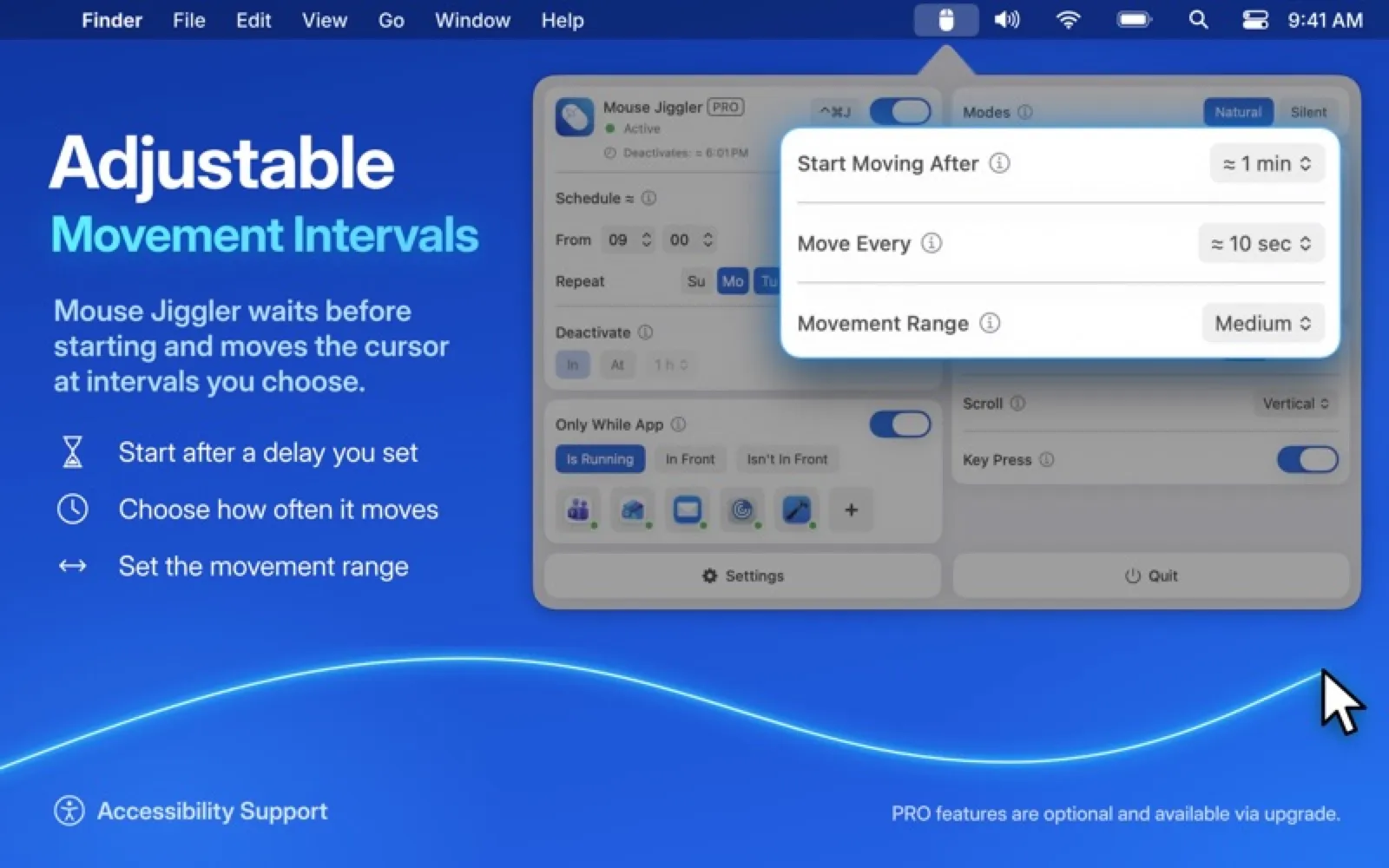
Mouse Jiggler keeps a Mac from dimming, locking or sleeping by moving the pointer after an idle delay you choose, either across a small, medium or full range in Natural mode or with a nudge in place in Silent mode, and can add clicks at set positions, scrolling or a key press for apps that need more than movement. Sessions can follow a weekday schedule, stop after a set time or at a clock time, run only while chosen apps are open or in front, pause when the screen locks and switch off on low battery, and a separate setting prevents system sleep while a session runs. It needs Accessibility access to move the pointer; keyboard and mouse activity is only used to tell that you are at the Mac, and the App Store label says Data Not Collected. It lives in the menu bar with a keyboard shortcut and optional launch at login. Scheduling, app conditions, movement modes and multiple click positions are part of Pro, a one-time $6.99 in-app purchase. Mac App Store only; requires macOS 12 or later.
Install Mouse Jiggler
Download it from the links above, or install it from the Terminal:
mas install 6740313656 Mac App Store CLI: This works once your Apple Account has the app. The first time, get it from the Mac App Store.
Questions about Mouse Jiggler
Is Mouse Jiggler free?
Mouse Jiggler is free to download and use, with paid upgrades for extra features. Price: Free; Pro $6.99 one-time in-app purchase.
Where can I download Mouse Jiggler for Mac?
Download Mouse Jiggler from the Mac App Store and the developer's website (mousejigglermac.com). MacWorthy links only to official sources.
Can I install Mouse Jiggler from the Terminal?
Yes. With Mac App Store CLI, run mas install 6740313656. This works once your Apple Account has the app. The first time, get it from the Mac App Store.
Which macOS version does Mouse Jiggler need?
The Mac App Store version of Mouse Jiggler requires macOS 12 or later.
What are good alternatives to Mouse Jiggler?
Other utilities apps for Mac worth a look are Amphetamine (free), Kilobat (free + pro), Dormouse (free + pro) and Keep Mac Awake (one-time purchase).
Other utilities apps like Mouse Jiggler

Amphetamine
Keep your Mac awake, on your terms.
Kilobat
Per-app network usage, diagnostics and keep-awake in the menu bar.

Dormouse
Why your MacBook woke up overnight, and where the battery went.

Keep Mac Awake
Keeps an Apple silicon MacBook awake with the lid closed for a timed session.

Mac Ninja
Unloads idle browser tabs and slows background CPU hogs, without closing anything.

Bartender 6
Organize and hide menu bar icons.

Ice
A powerful, free menu bar manager.

iStat Menus
Your Mac's vital signs, in the menu bar.