SnapRedact
Covers private details in screenshots, with on-device sensitive-text suggestions.
About SnapRedact
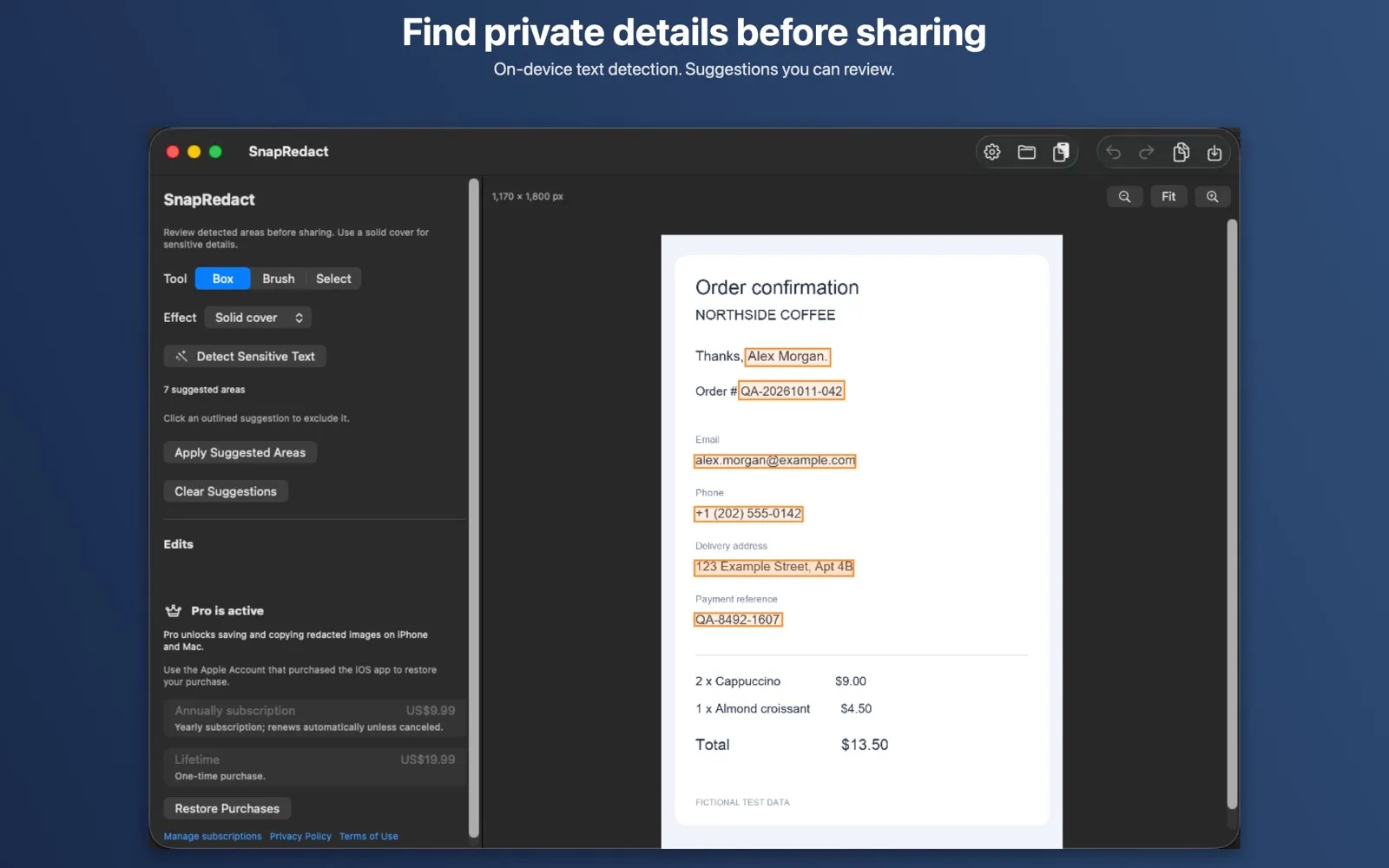
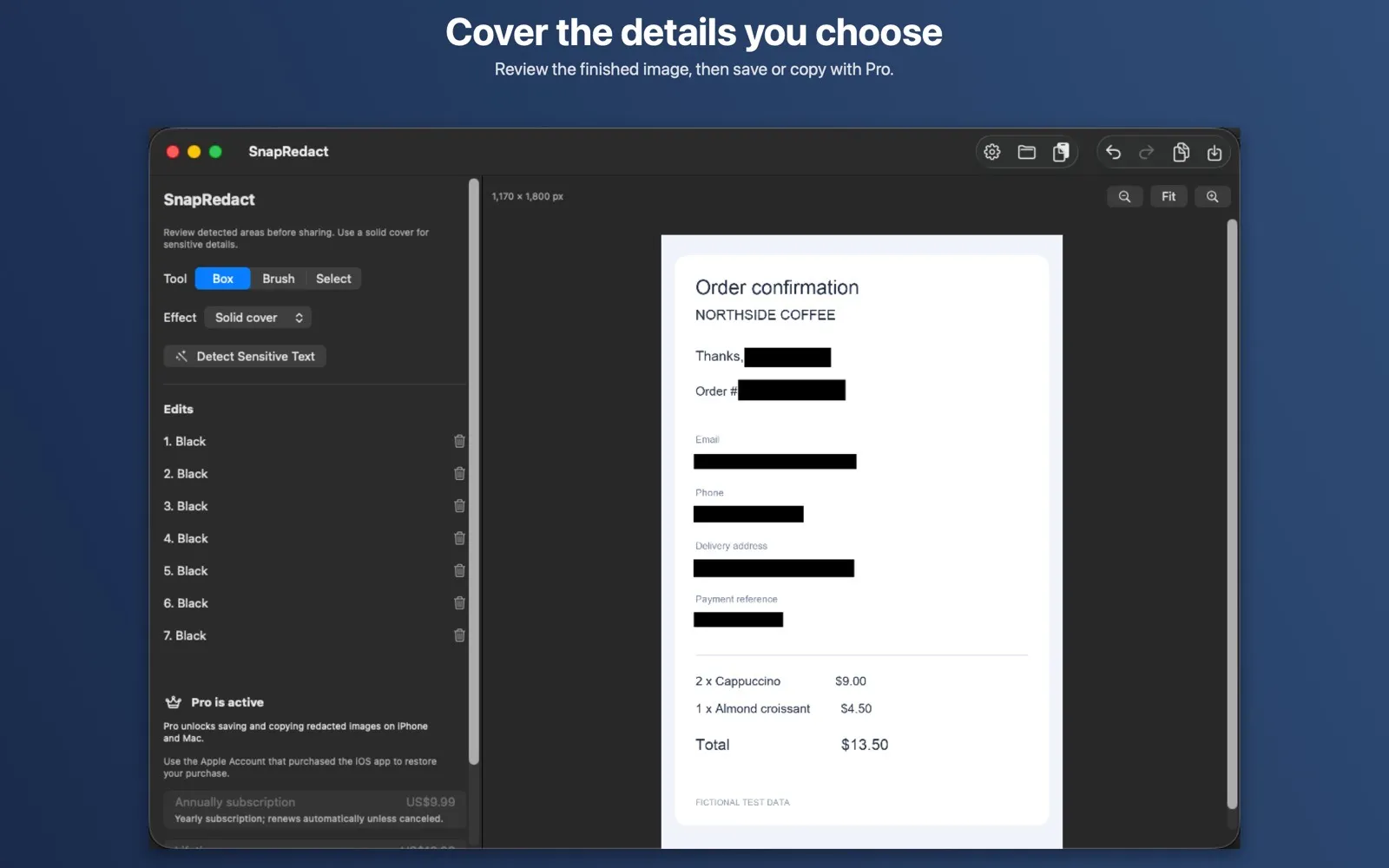
SnapRedact opens a screenshot or photo from Finder, a drag and drop or the clipboard, recognises its text on the device and suggests what looks sensitive, such as phone numbers, email addresses, names, street addresses and reference numbers. You choose what to hide with box or brush tools and a solid cover, pixelation or blur, and export a flattened image; the developer recommends solid covers for sensitive details and warns that detection can miss things. Text recognition and editing stay on the Mac, there is no account, and the App Store label says no data is collected. The free Mac version can edit but not save or copy a redacted image; Pro, as a yearly subscription or a one-time purchase shared with the iPhone app, unlocks both. Mac App Store only, 1.4 MB; needs macOS 14 or later.
Install SnapRedact
Download it from the links above, or install it from the Terminal:
mas install 6758184663 Mac App Store CLI: This works once your Apple Account has the app. The first time, get it from the Mac App Store.
Questions about SnapRedact
Is SnapRedact free?
SnapRedact is free to download and use, with paid upgrades for extra features. Price: Free to try (saving and copying need Pro); Pro is $9.99 a year with a 3-day trial or $19.99 once, in-app purchases shared with iPhone and iPad (US prices).
Where can I download SnapRedact for Mac?
Download SnapRedact from the Mac App Store and the developer's website (dofun.app). MacWorthy links only to official sources.
Can I install SnapRedact from the Terminal?
Yes. With Mac App Store CLI, run mas install 6758184663. This works once your Apple Account has the app. The first time, get it from the Mac App Store.
Which macOS version does SnapRedact need?
The Mac App Store version of SnapRedact requires macOS 14.0 or later.
What are good alternatives to SnapRedact?
Other security & privacy apps for Mac worth a look are Redatch (free + pro), SimpleumSafe (one-time purchase), Little Snitch (one-time purchase) and LuLu (open source).
Other security & privacy apps like SnapRedact
Redatch
Redacts sensitive details from screenshots and documents dropped on the notch.
SimpleumSafe
Encrypted local vaults for documents and photos, kept encrypted while you work with them.
Little Snitch
See and control every network connection.
LuLu
The free, open-source outbound firewall.
OverSight
Know when your mic and camera turn on.
KnockKnock
See what's persistently installed.

Secretive
SSH keys that never leave the Secure Enclave.
Strongbox
KeePass and Password Safe, made native.