Dropzone 5
A drop target for moving, sharing and acting on files.
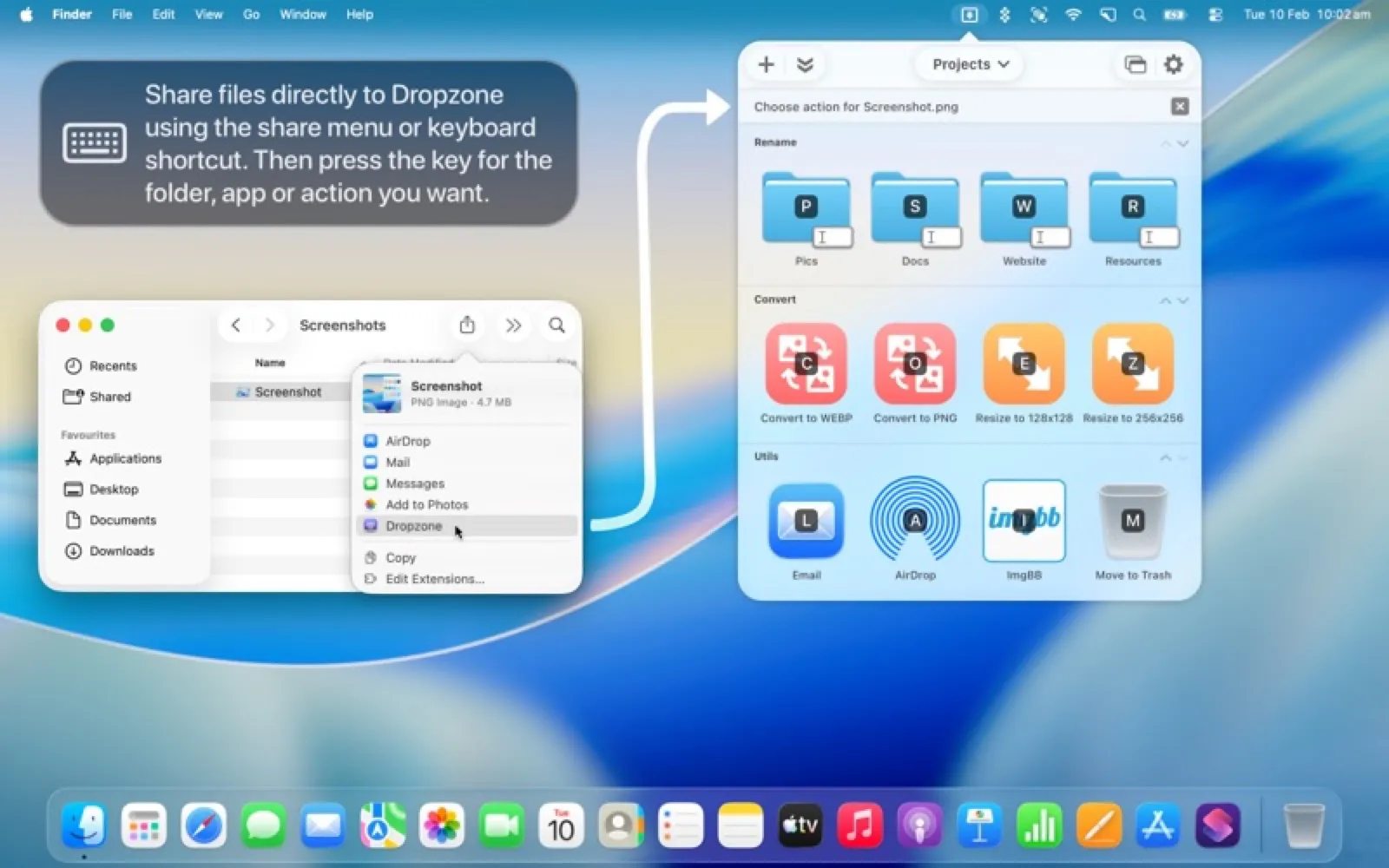
About Dropzone 5
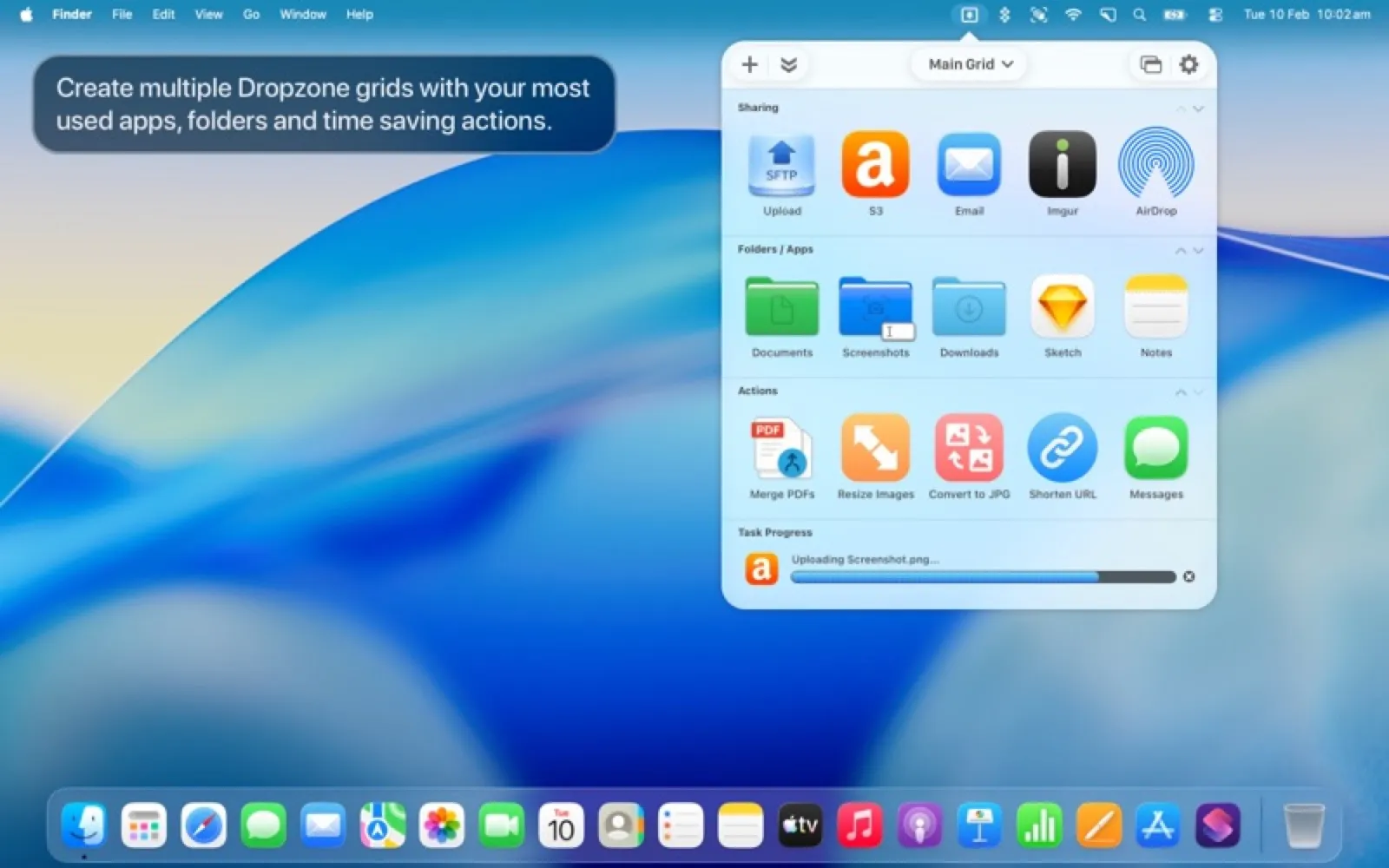
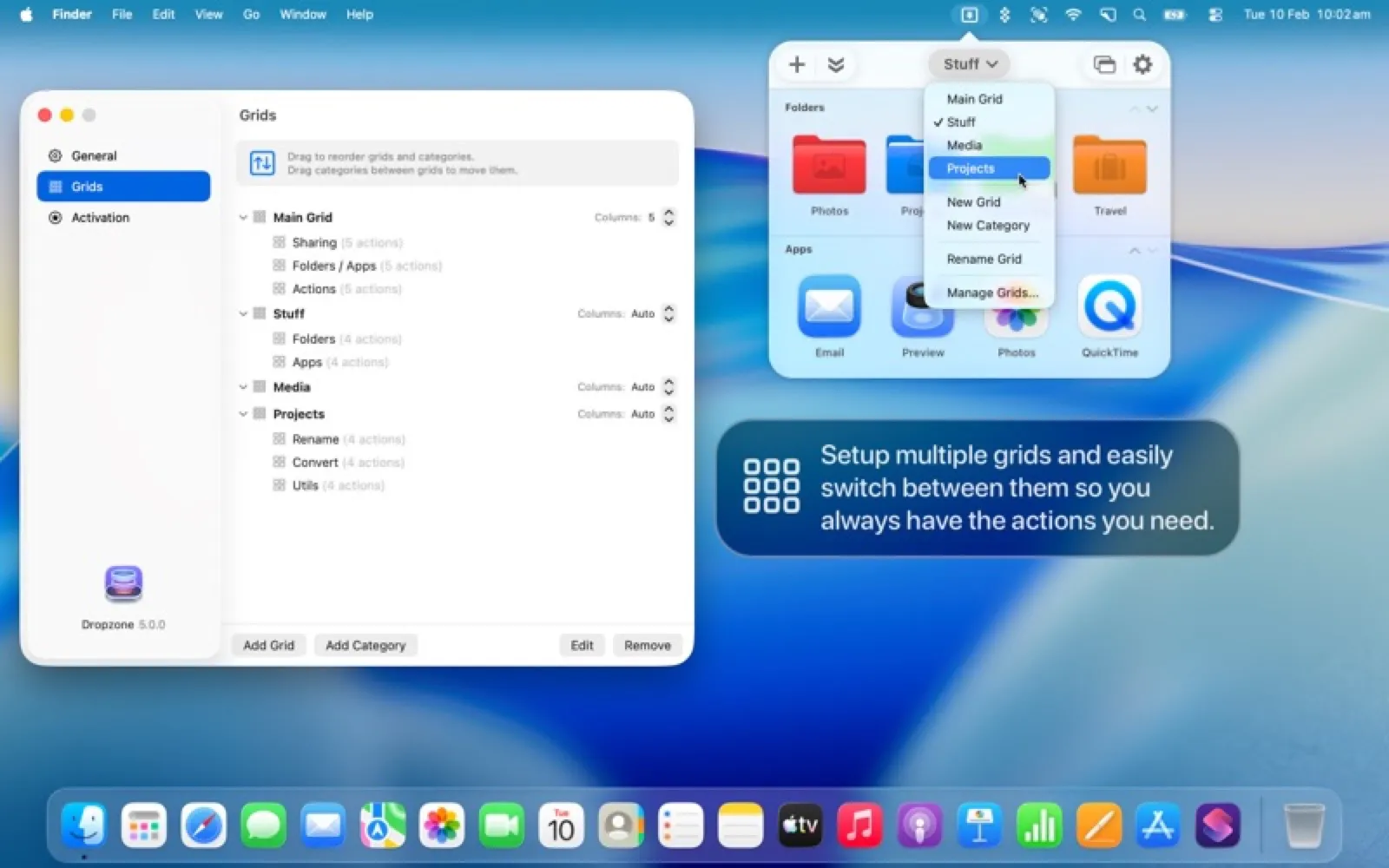
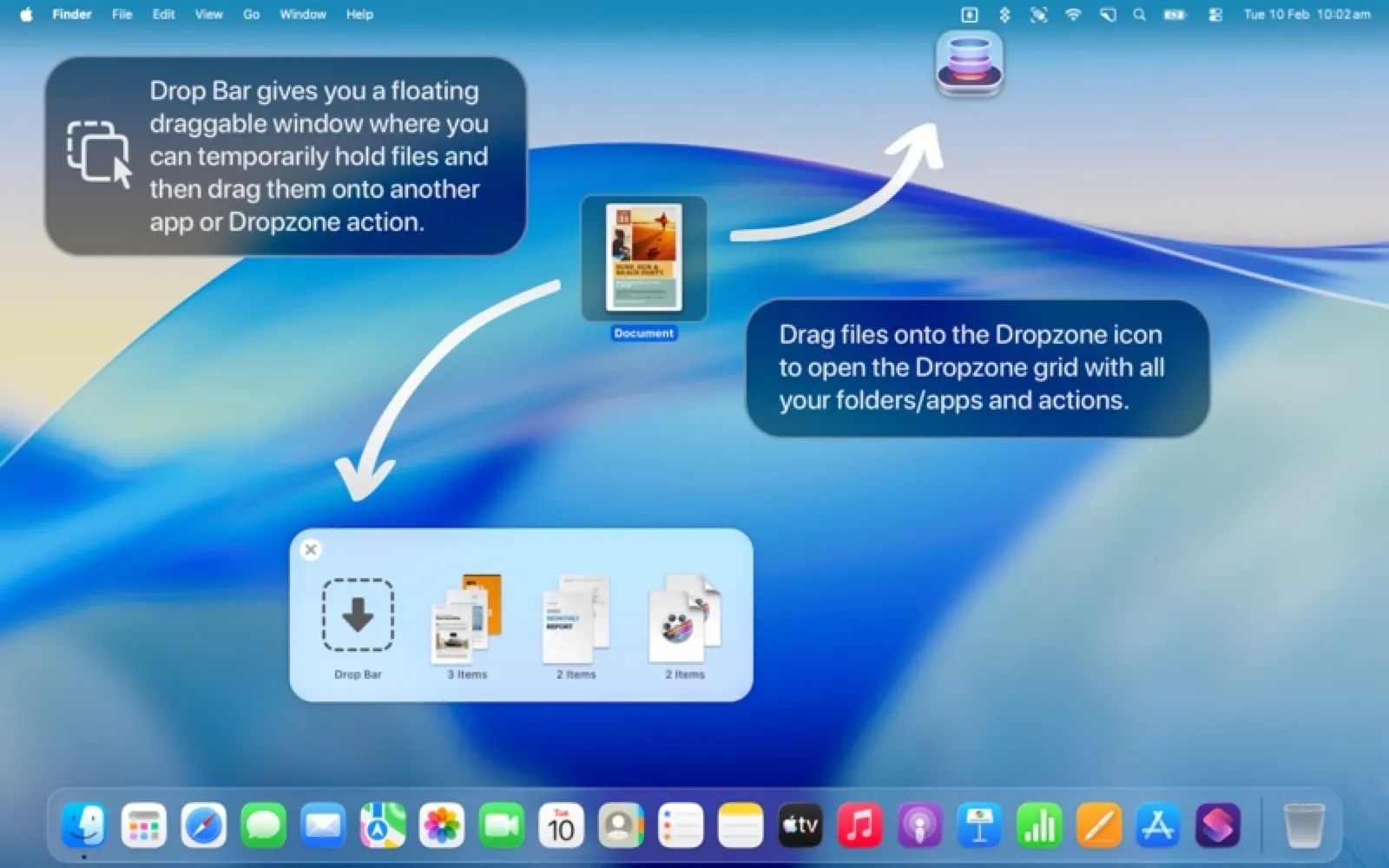
Dropzone puts a grid of actions in the menu bar: drag files onto it to move or copy them to favourite folders, upload them, open them in an app or run your own scripts. The free version covers the basics; Pro is a one-time purchase.
Install Dropzone 5
Download it from the links above, or install it from the Terminal:
brew install --cask dropzone mas install 6757682547 Questions about Dropzone 5
Is Dropzone 5 free?
Dropzone 5 is free to download and use, with paid upgrades for extra features.
Where can I download Dropzone 5 for Mac?
Download Dropzone 5 from the Mac App Store and the developer's website (aptonic.com). MacWorthy links only to official sources.
Can I install Dropzone 5 from the Terminal?
Yes. With Homebrew, run brew install --cask dropzone. With Mac App Store CLI, run mas install 6757682547.
Which macOS version does Dropzone 5 need?
The Mac App Store version of Dropzone 5 requires macOS 13.0 or later.
What are good alternatives to Dropzone 5?
Other productivity apps for Mac worth a look are Dropover (free + pro), Yoink (one-time purchase), Fantastical (subscription) and Cardhop (subscription).
Other productivity apps like Dropzone 5
Dropover
A floating shelf for drag and drop.

Yoink
Park anything at the edge of the screen.
Fantastical
A calendar that understands plain sentences.

Cardhop
Contacts, rebuilt around a single search field.
Dato
The menu bar clock macOS should have had.

Maccy
A tiny, keyboard-first clipboard manager.

Final Call
A full-screen countdown before every meeting.

Dropshare
Upload a file, get a link, using storage you choose.