JotRail
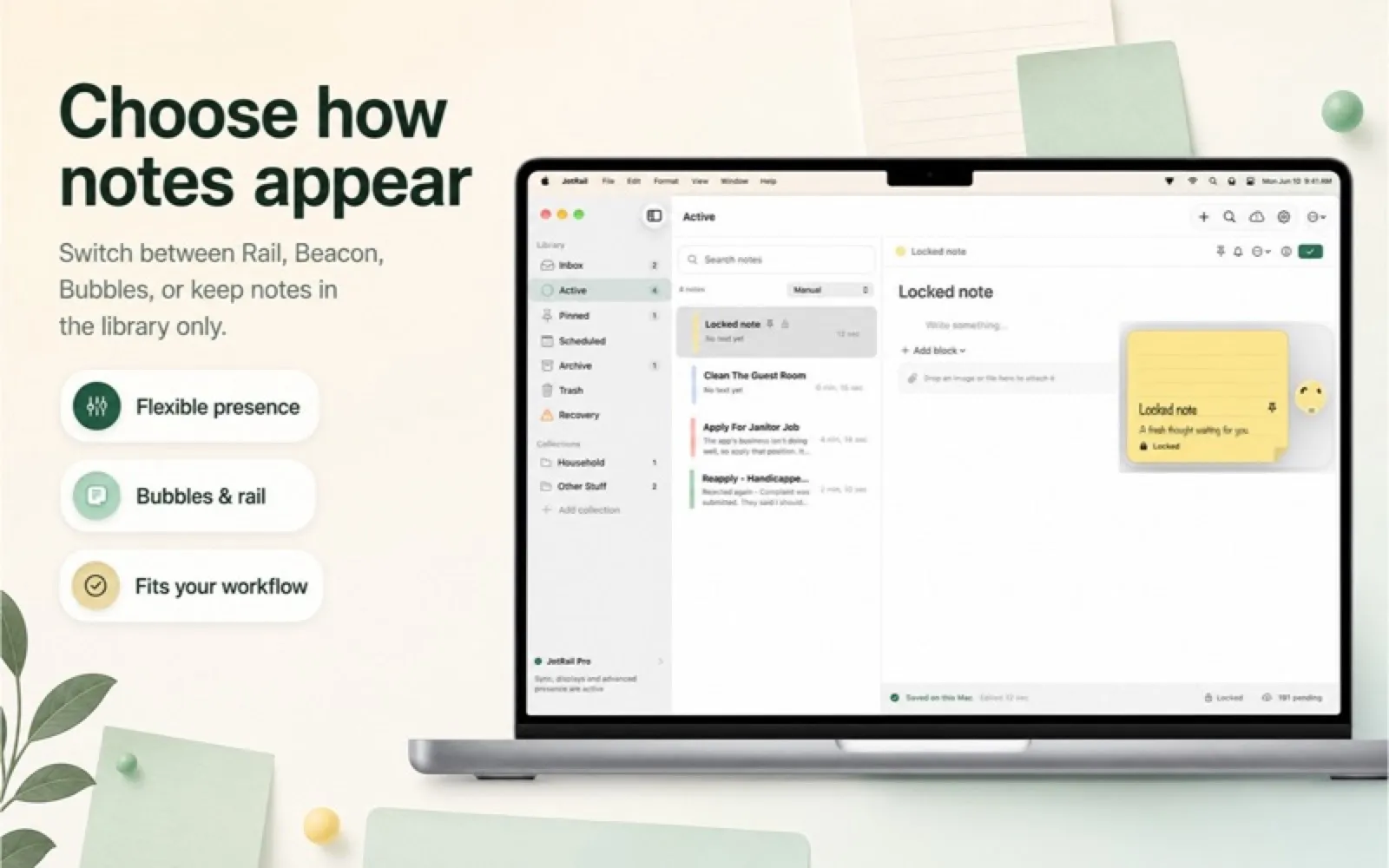
Sticky notes that live at the edge of the screen, kept beside your work as a rail, bubbles or a floating note.
About JotRail
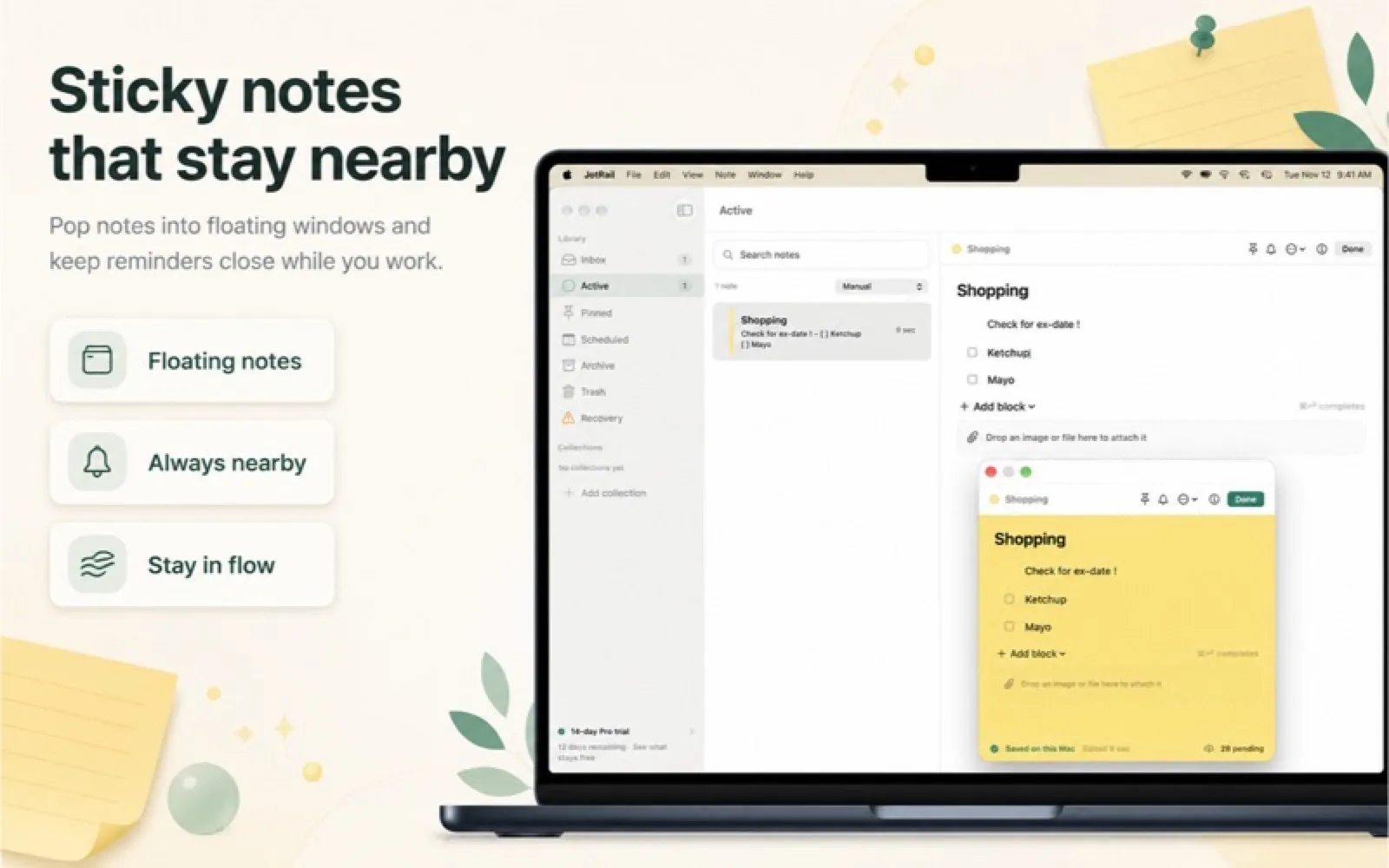
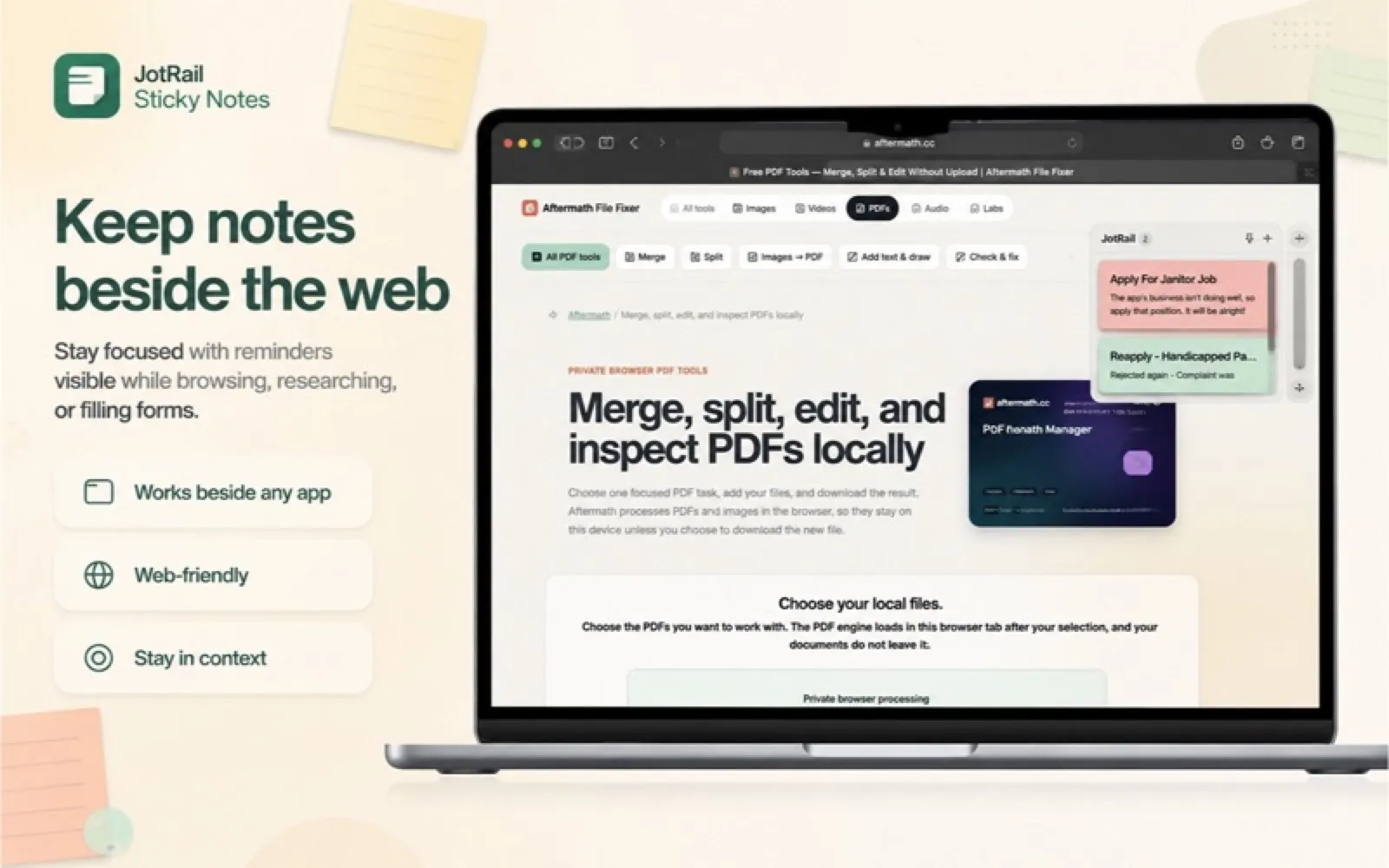
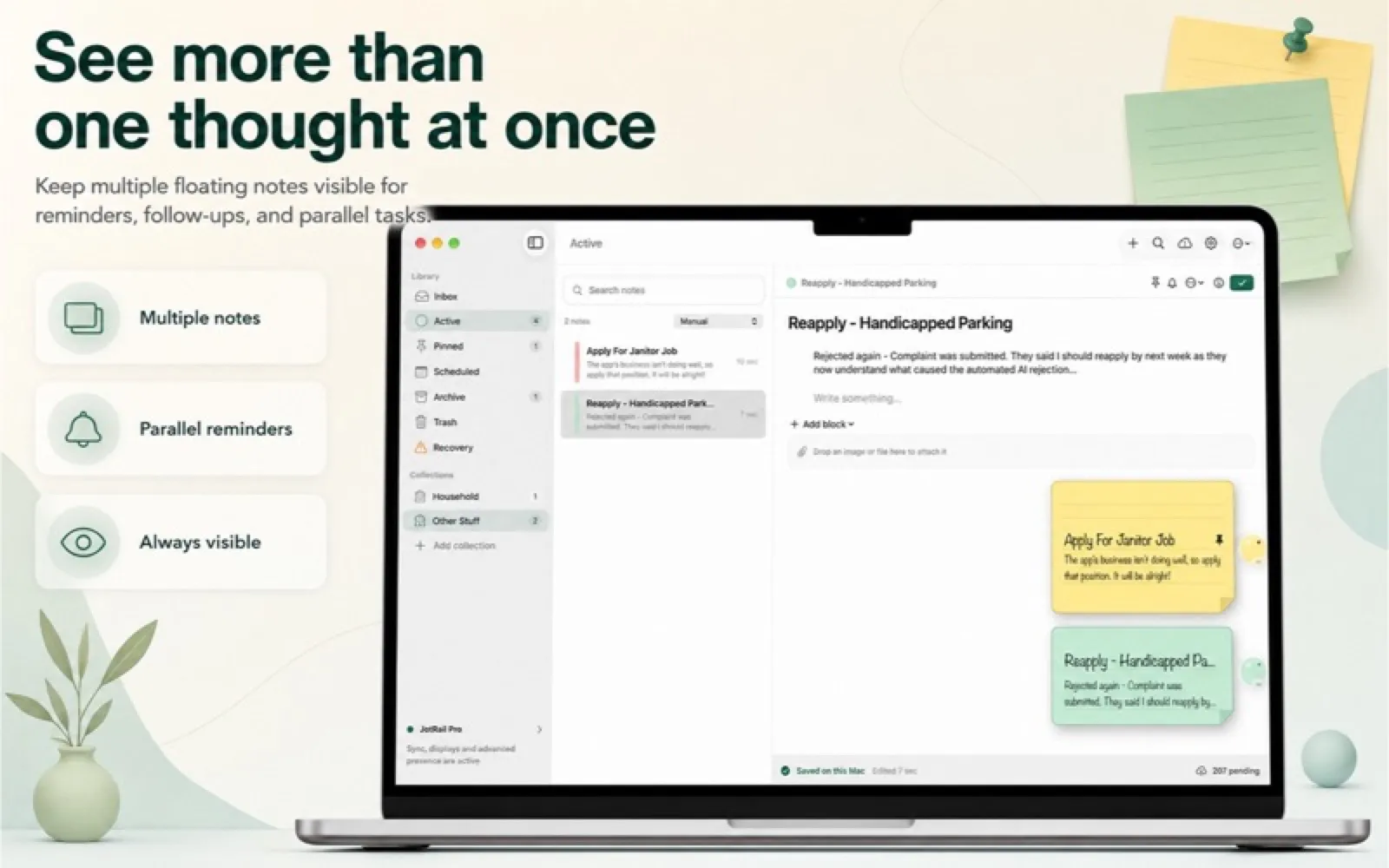
JotRail captures notes from the edge of the screen or a keyboard shortcut, and keeps the ones you need visible beside your work as a compact Rail, Bubbles, a Beacon, a Side dock or a Floating Sticky, with a Quick Switcher to jump back to a note. Notes take headings, lists, quotes, code, links, checklists and attachments, with six card styles, palettes and typography choices, and locked notes are encrypted and kept out of search. Everything sits in a local library with revision history, Inbox, Pinned, Scheduled, Archive and collections, local search and export to Markdown, text, RTF, PDF or a JotRail archive. Pro, after a 14-day trial, unlocks unlimited active notes, private iCloud sync, all presence modes and displays, custom palettes and handoffs; notes stay readable and exportable without it. No account, no ads and no third-party analytics, and the App Store label says no data is collected. Mac App Store only, so we could not inspect the build; needs macOS 15 or later.
Install JotRail
Download it from the links above, or install it from the Terminal:
mas install 6807026805 Mac App Store CLI: This works once your Apple Account has the app. The first time, get it from the Mac App Store.
Questions about JotRail
Is JotRail free?
JotRail is free to download and use, with paid upgrades for extra features. Price: Free download with a 14-day Pro trial; JotRail Pro is a US$11.90 in-app purchase.
Where can I download JotRail for Mac?
Download JotRail from the Mac App Store and the developer's website (valorem.ing). MacWorthy links only to official sources.
Can I install JotRail from the Terminal?
Yes. With Mac App Store CLI, run mas install 6807026805. This works once your Apple Account has the app. The first time, get it from the Mac App Store.
Which macOS version does JotRail need?
The Mac App Store version of JotRail requires macOS 15.0 or later.
What are good alternatives to JotRail?
Other writing & notes apps for Mac worth a look are Sideleaf (one-time purchase), Bear (free + pro), SideNotes (one-time purchase) and MiaoYan (open source).
Other writing & notes apps like JotRail
Sideleaf
Sticky notes tucked into the screen's edge, peeked at with a hover.

Bear
Beautiful notes, linked and tagged.

SideNotes
Notes, tasks and snippets in a panel that slides out from the edge of the screen.

MiaoYan
Light Markdown notebook that keeps notes as plain files.
iA Writer
Focused Markdown writing, nothing more.
NotchPad
Linked notes, clipboard history and window stickies, a hover away in the notch.

Ulysses
A complete writing environment for long work.

Drafts
Where text starts, before it knows where it goes.