Sideleaf
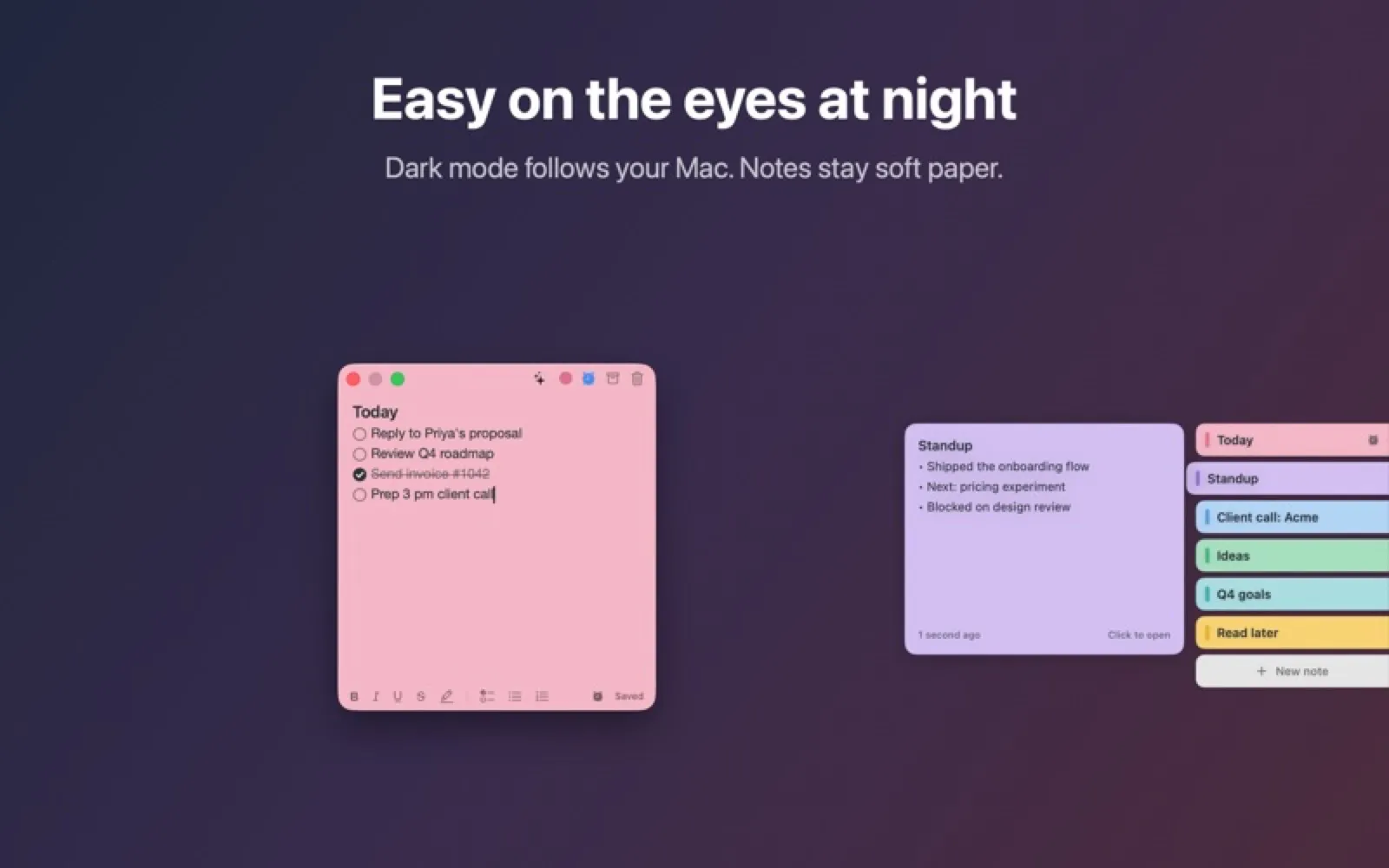
Sticky notes tucked into the screen's edge, peeked at with a hover.
About Sideleaf
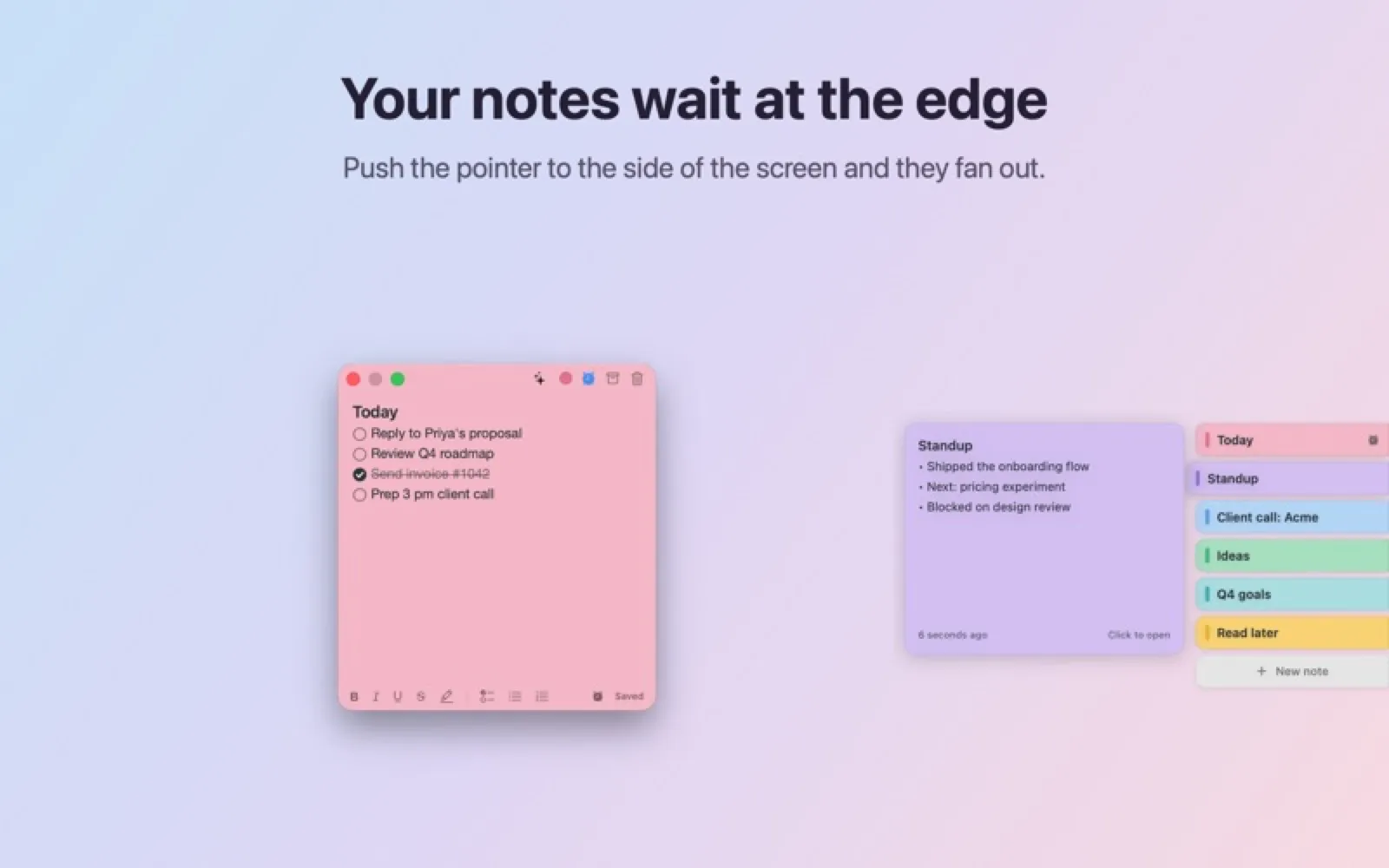
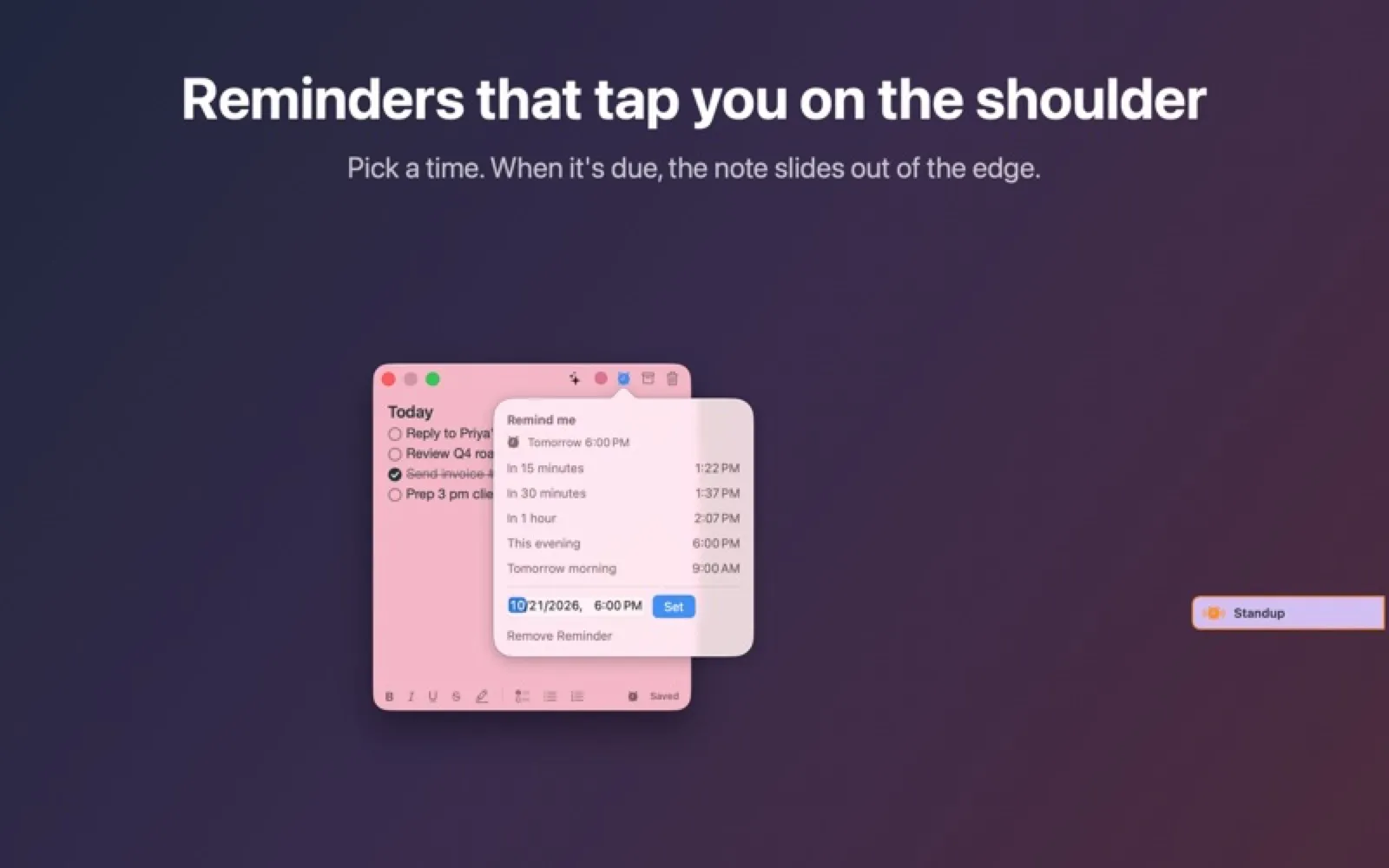
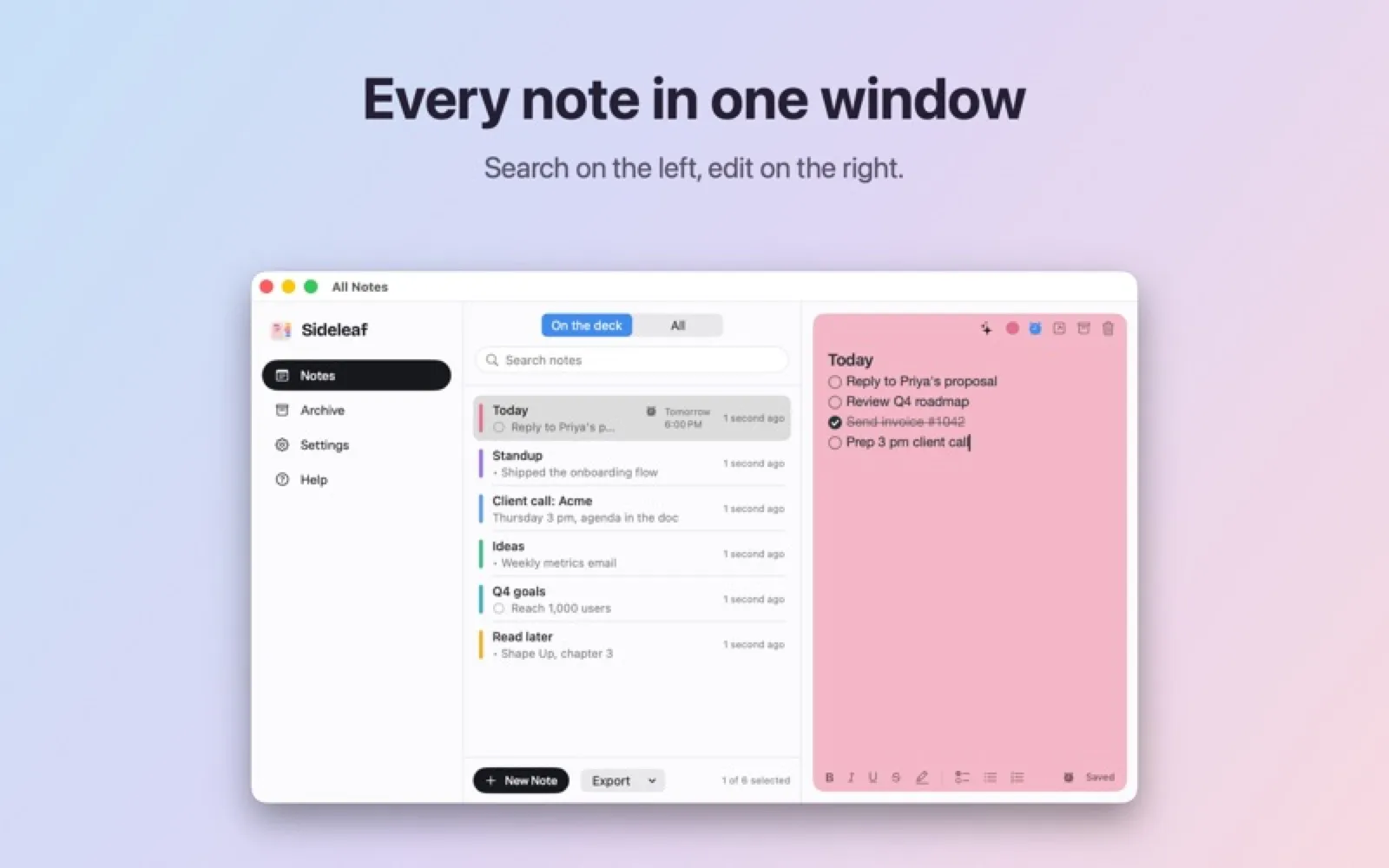
Sideleaf keeps sticky notes as coloured tabs along the left or right edge of the screen: hover a tab to preview a note, click to edit it in its own small window, and move away to tuck it back in. Notes take checklists with sub-items, pictures, eight colours and reminders that slide the note out of the edge when they are due, and an All Notes window searches, archives and exports them as Markdown, plain text or rich text. Global shortcuts, Shortcuts and Spotlight support, a Services menu item and on-device Apple Intelligence writing actions are included. Notes are encrypted with AES-256 on the Mac, there is no account, and the app makes no network connections of its own; the App Store privacy label says no data is collected. After a 7-day trial a one-time in-app purchase unlocks editing, and without it notes stay readable, searchable and exportable. Mac App Store only; requires macOS 26 or later.
Install Sideleaf
Download it from the links above, or install it from the Terminal:
mas install 6824756328 Mac App Store CLI: This works once your Apple Account has the app. The first time, get it from the Mac App Store.
Questions about Sideleaf
How much does Sideleaf cost?
Sideleaf: $9.99 one-time unlock (in-app), 7-day free trial.
Where can I download Sideleaf for Mac?
Download Sideleaf from the Mac App Store and the developer's website (sideleaf.pages.dev). MacWorthy links only to official sources.
Can I install Sideleaf from the Terminal?
Yes. With Mac App Store CLI, run mas install 6824756328. This works once your Apple Account has the app. The first time, get it from the Mac App Store.
Which macOS version does Sideleaf need?
The Mac App Store version of Sideleaf requires macOS 26.0 or later.
What are good alternatives to Sideleaf?
Other writing & notes apps for Mac worth a look are JotRail (free + pro), NotchPad (one-time purchase), Bear (free + pro) and Drafts (free + pro).
Other writing & notes apps like Sideleaf
JotRail
Sticky notes that live at the edge of the screen, kept beside your work as a rail, bubbles or a floating note.
NotchPad
Linked notes, clipboard history and window stickies, a hover away in the notch.

Bear
Beautiful notes, linked and tagged.

Drafts
Where text starts, before it knows where it goes.

Craft
Documents that look designed by default.

Tot
Seven dots. Seven notes. That's it.
Agenda
Notes that live on a timeline.
SideNotes
Notes, tasks and snippets in a panel that slides out from the edge of the screen.