Locseek
Everything-style file-name search for the Mac, with results as you type.
About Locseek
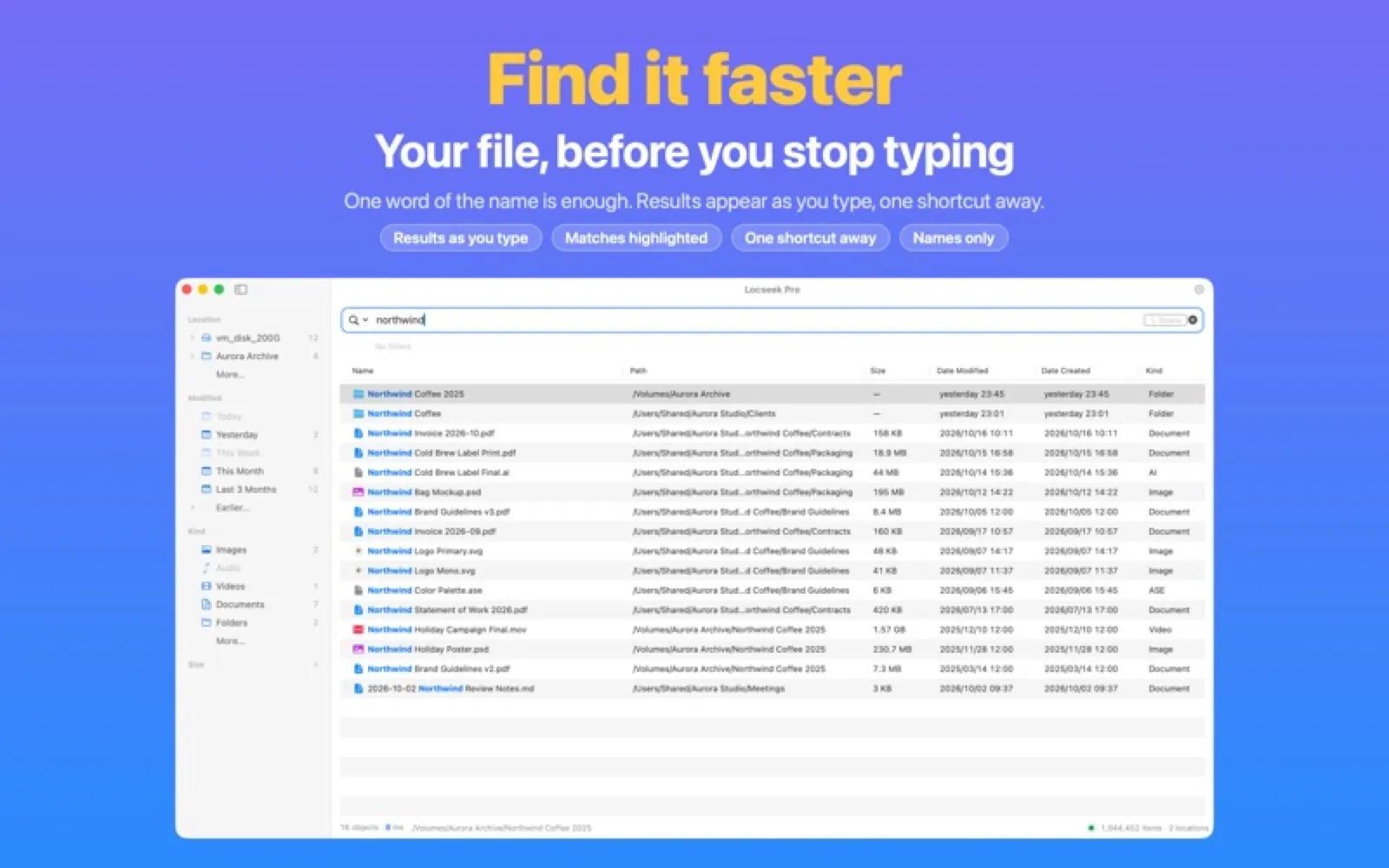
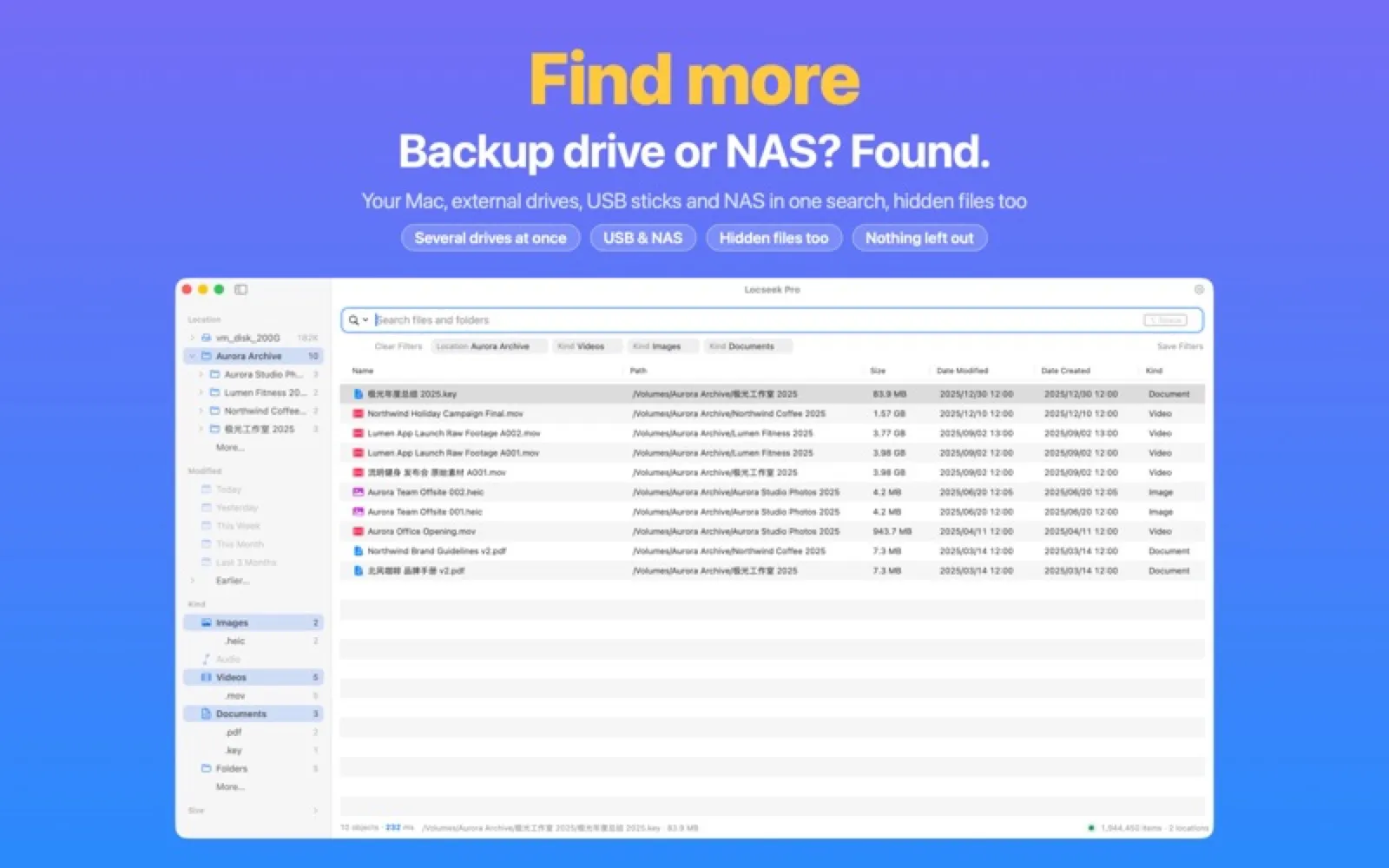
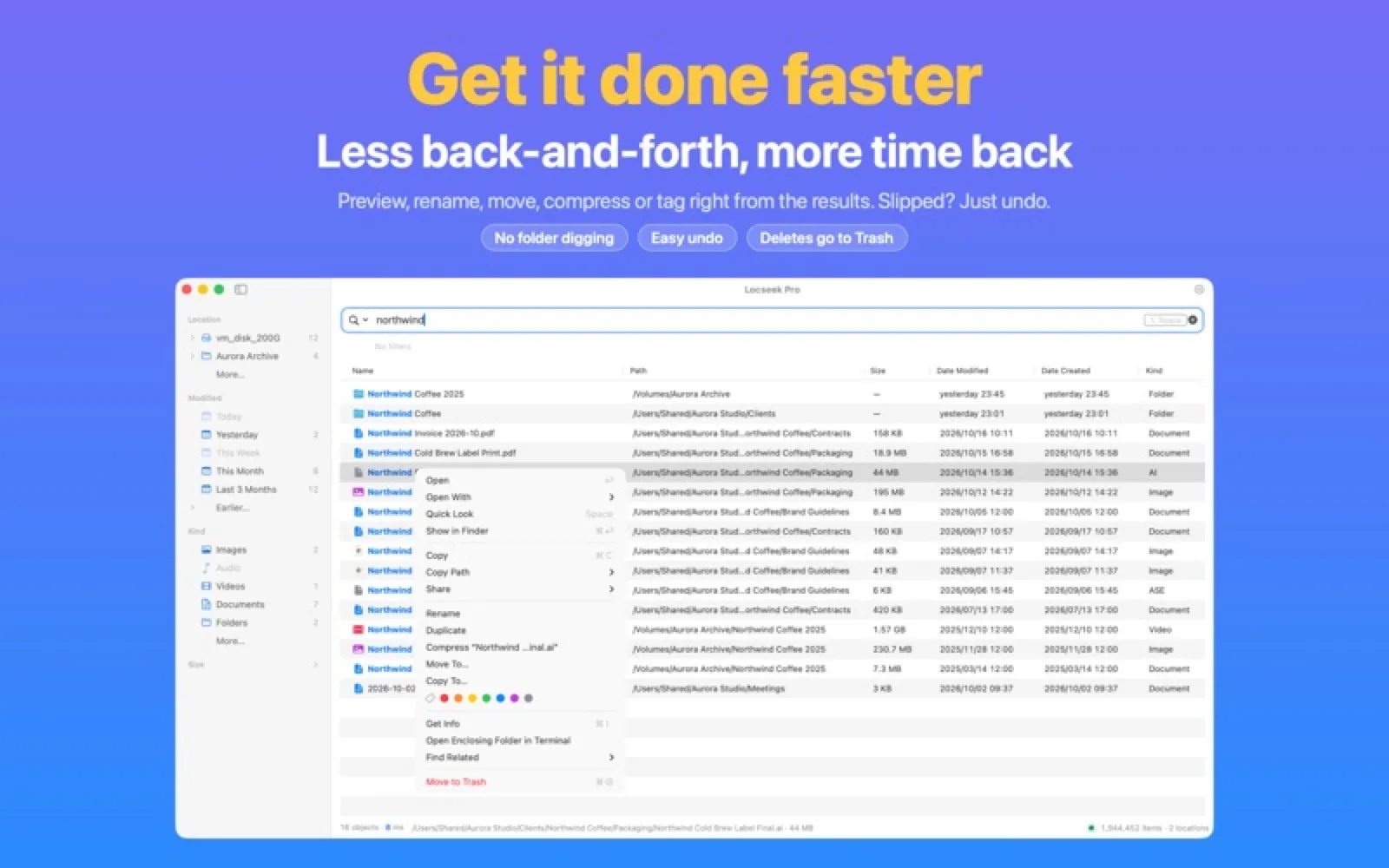
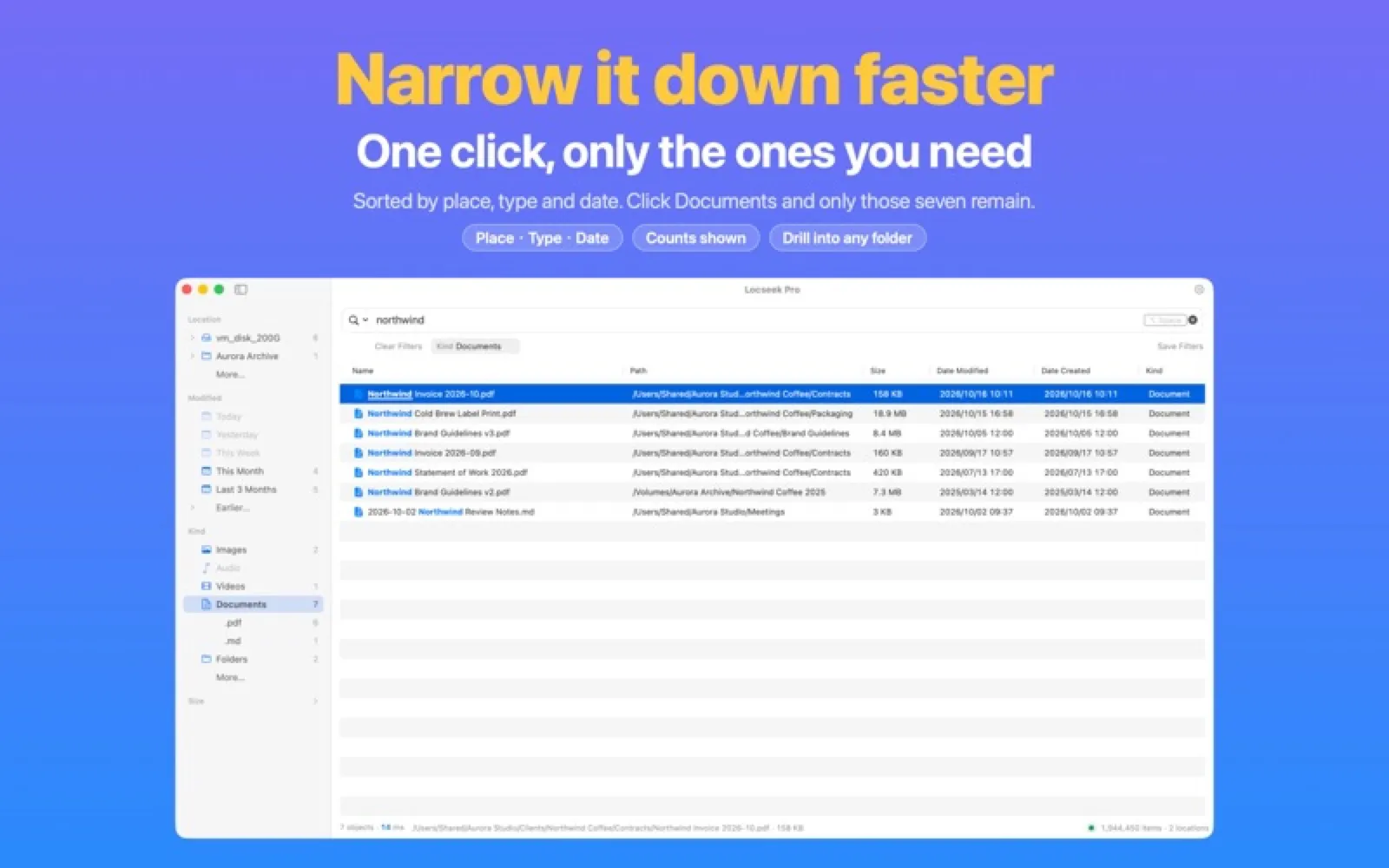
Locseek keeps its own index of file and folder names, separate from Spotlight's, and shows matches as you type, with filters by place, kind, size and date and Everything-style query syntax such as ext:pdf and size:>100mb. From the results you can preview with Quick Look, rename, move, compress or tag files, with undo, and anything you delete goes to the Trash. It indexes names and metadata only and never opens or reads file contents; the free version searches Desktop, Documents and Downloads, and Pro adds any folder, the whole startup disk, external drives, USB sticks and network shares, whose names stay searchable while they are disconnected, along with advanced search commands and batch actions. Indexing protected folders on the startup disk needs Full Disk Access. No account and no network requests, and its App Store label says no data is collected. Download it from the Mac App Store, directly or through the download links on locseek.com; there is no separate installer. Sandboxed Mac App Store app; needs macOS 12 or later.
Install Locseek
Download it from the links above, or install it from the Terminal:
mas install 6789140446 Mac App Store CLI: This works once your Apple Account has the app. The first time, get it from the Mac App Store.
Questions about Locseek
Is Locseek free?
Locseek is free to download and use, with paid upgrades for extra features. Price: Free for Desktop, Documents and Downloads; Annual Pro is $9.99 a year, with a 14-day free trial for eligible new subscribers, and Lifetime Pro is a separate $24.99 one-time purchase, both in the Mac App Store (US prices; regional prices and trial eligibility are shown in the App Store).
Where can I download Locseek for Mac?
Download Locseek from the Mac App Store and the developer's website (locseek.com). MacWorthy links only to official sources.
Can I install Locseek from the Terminal?
Yes. With Mac App Store CLI, run mas install 6789140446. This works once your Apple Account has the app. The first time, get it from the Mac App Store.
Which macOS version does Locseek need?
The Mac App Store version of Locseek requires macOS 12.0 or later.
What are good alternatives to Locseek?
Other utilities apps for Mac worth a look are MacEx (one-time purchase), QuickRight (free), Mac Ninja (one-time purchase) and Yado (one-time purchase).
Other utilities apps like Locseek

MacEx
A file library that finds files from a plain-English description.
QuickRight
Adds new-file, copy-path, terminal and file tools to the Finder right-click menu.
Mac Ninja
Unloads idle browser tabs and slows background CPU hogs, without closing anything.

Yado
Clean up, back up and organize an iPhone from your Mac.

Bartender 6
Organize and hide menu bar icons.

Ice
A powerful, free menu bar manager.

iStat Menus
Your Mac's vital signs, in the menu bar.

Stats
Free system monitor for the menu bar.