Pocket Screen
Live picture-in-picture views of any window.
About Pocket Screen
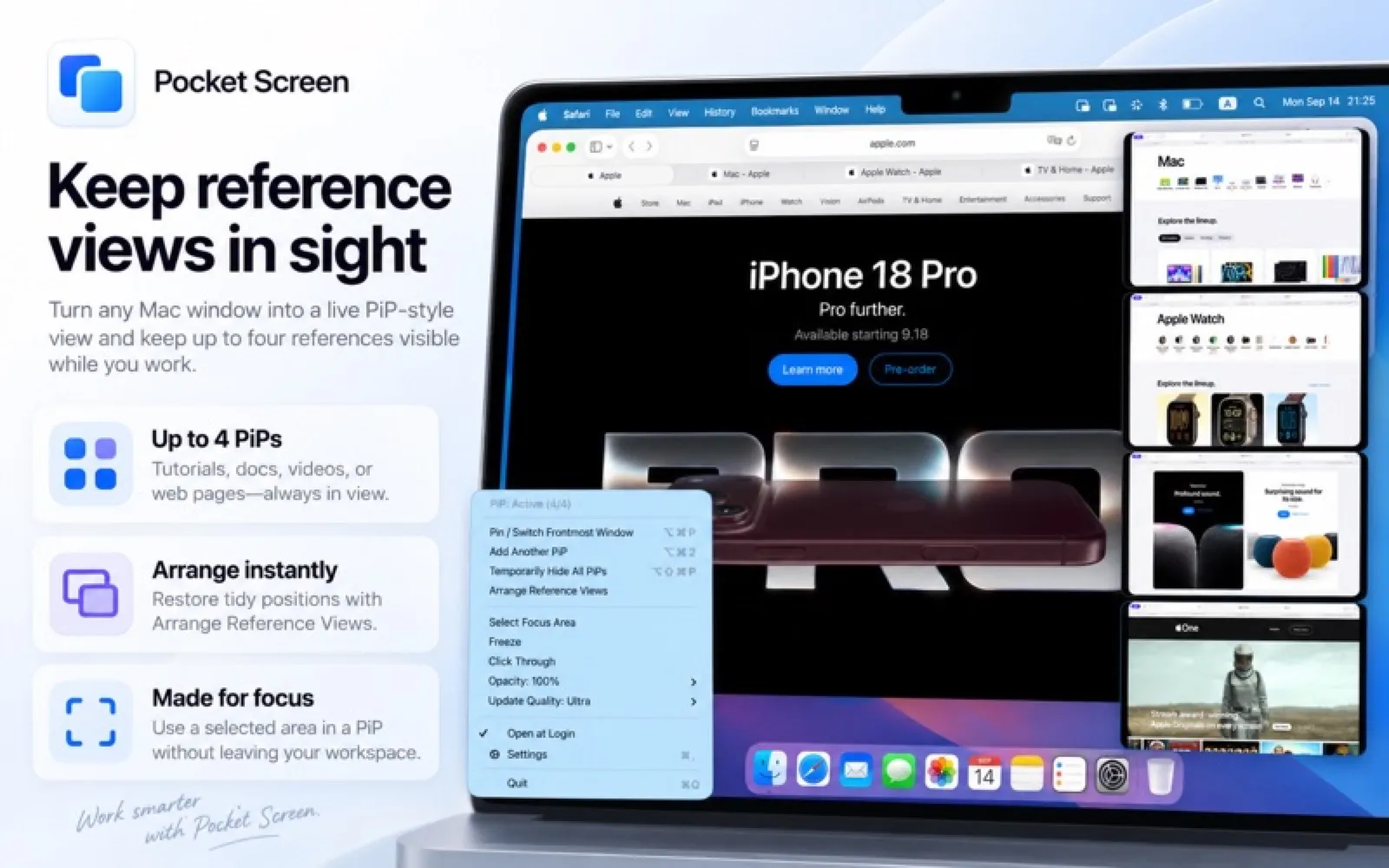
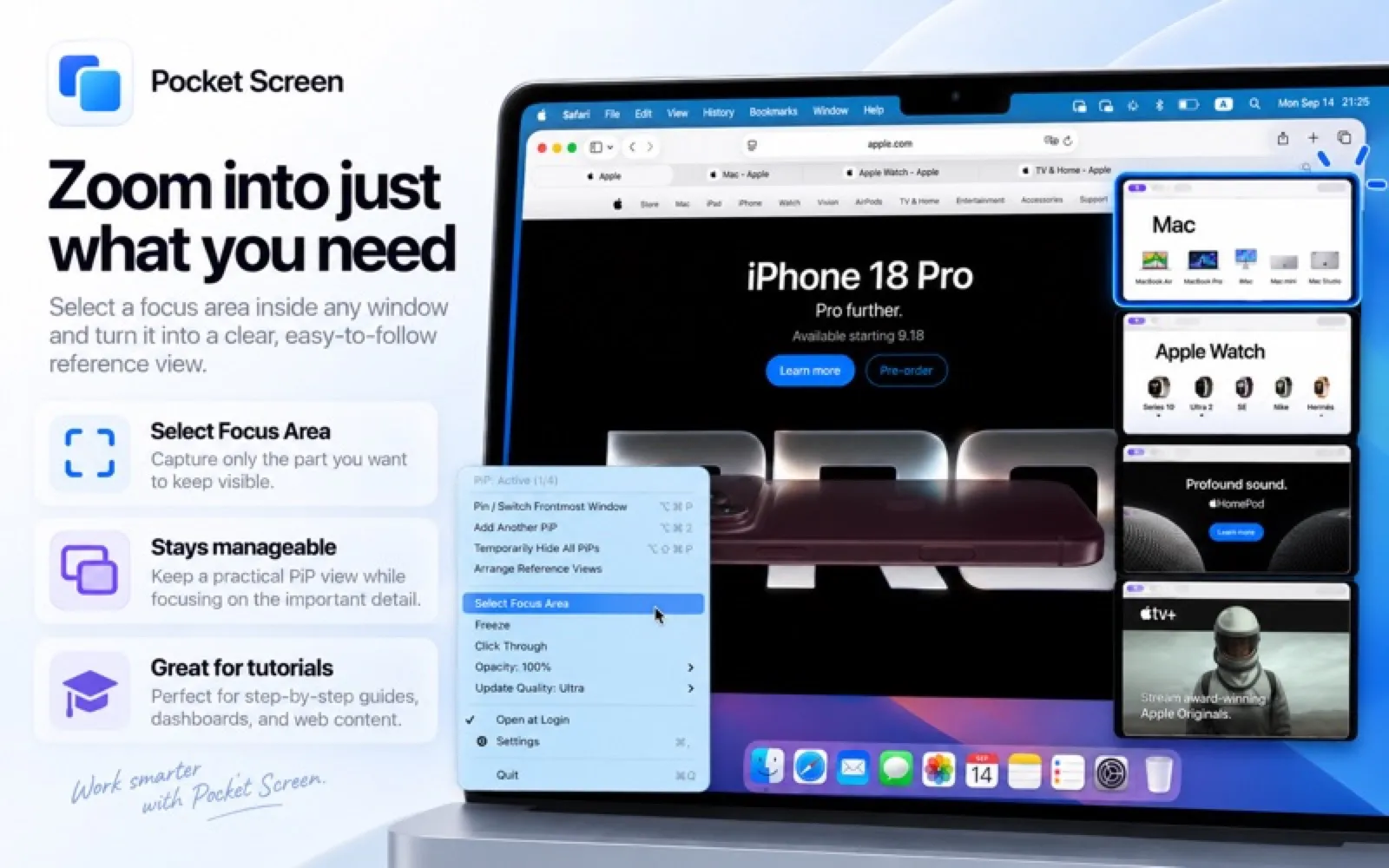
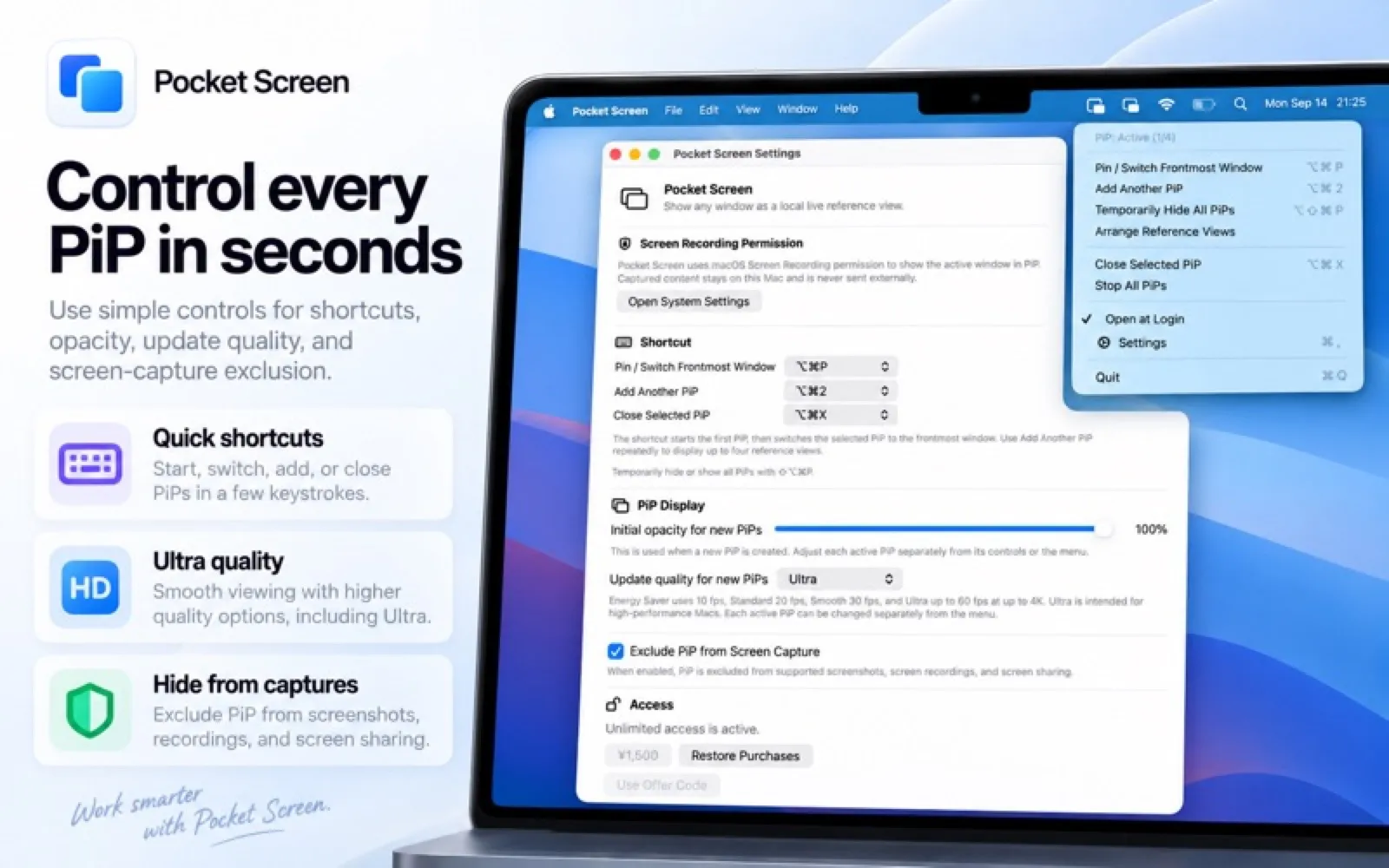
Pocket Screen makes live, resizable picture-in-picture views of other app windows, such as a PDF, a web page or a tutorial video, so a reference stays in sight while the original window stays where it is. Each view can be cropped to one area, frozen, made translucent or clicked through, and on macOS 26 kept out of screen sharing. No account, and its App Store privacy label says no data is collected. Needs macOS 14 or later.
Install Pocket Screen
Download it from the links above, or install it from the Terminal:
mas install 6788211562 Mac App Store CLI: This works once your Apple Account has the app. The first time, get it from the Mac App Store.
Questions about Pocket Screen
Is Pocket Screen free?
Pocket Screen is free to download and use, with paid upgrades for extra features. Price: Free with two views and 10-minute sessions; Unlimited is $9.99 once or $2.99 a month.
Where can I download Pocket Screen for Mac?
Download Pocket Screen from the Mac App Store and the developer's website (lp.toybird.com). MacWorthy links only to official sources.
Can I install Pocket Screen from the Terminal?
Yes. With Mac App Store CLI, run mas install 6788211562. This works once your Apple Account has the app. The first time, get it from the Mac App Store.
Which macOS version does Pocket Screen need?
The Mac App Store version of Pocket Screen requires macOS 14.0 or later.
What are good alternatives to Pocket Screen?
Other windows & desktop apps for Mac worth a look are HazeOver (one-time purchase), DockLatch (one-time purchase), Stage Manager (open source) and BetterStage (free + pro).
Other windows & desktop apps like Pocket Screen

HazeOver
Dims every window except the one you're using.
DockLatch
Keeps the macOS Dock on the display you choose.
Stage Manager
Open-source Stage Manager replacement whose stages survive restarts.
BetterStage
Window and workspace manager that groups each project's windows into stages across displays.
Rectangle
Window snapping with keyboard shortcuts.

Magnet
Snap windows into place by dragging.
Moom
Save and restore entire window layouts.

Loop
Window management with a radial menu.