masoc
A RAW photo and Log video editor with on-device masks, film looks and Lightroom preset import.
About masoc
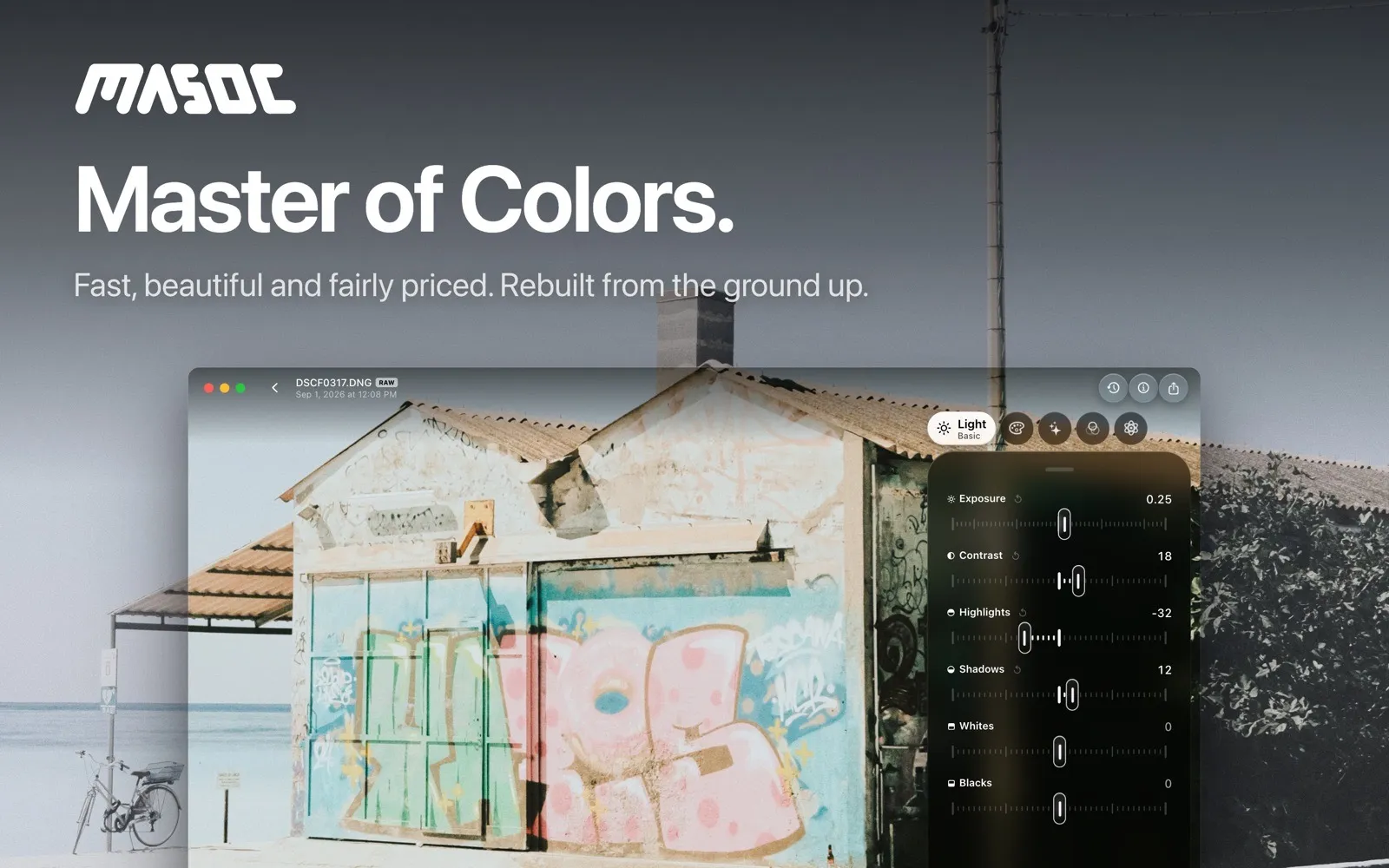
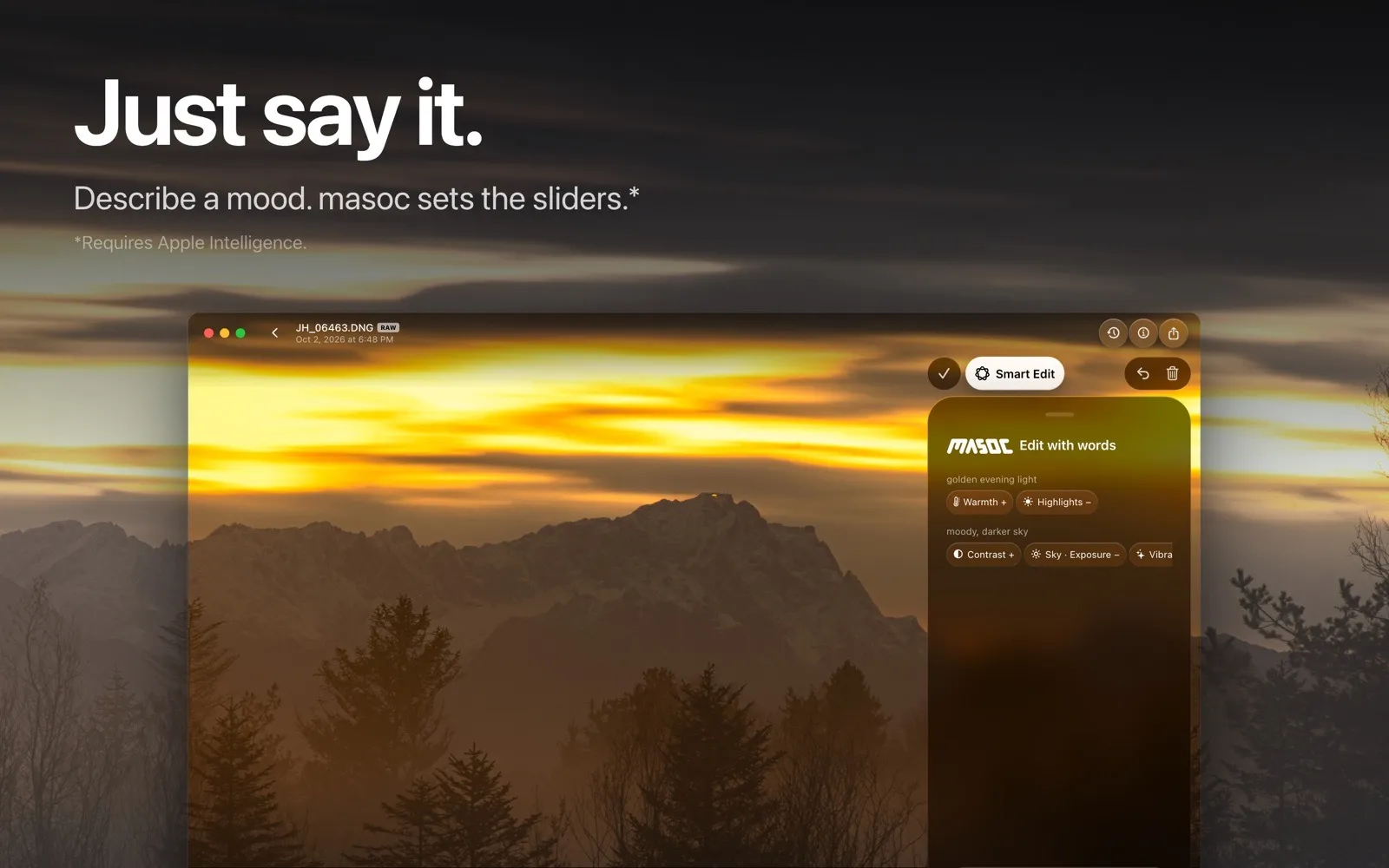
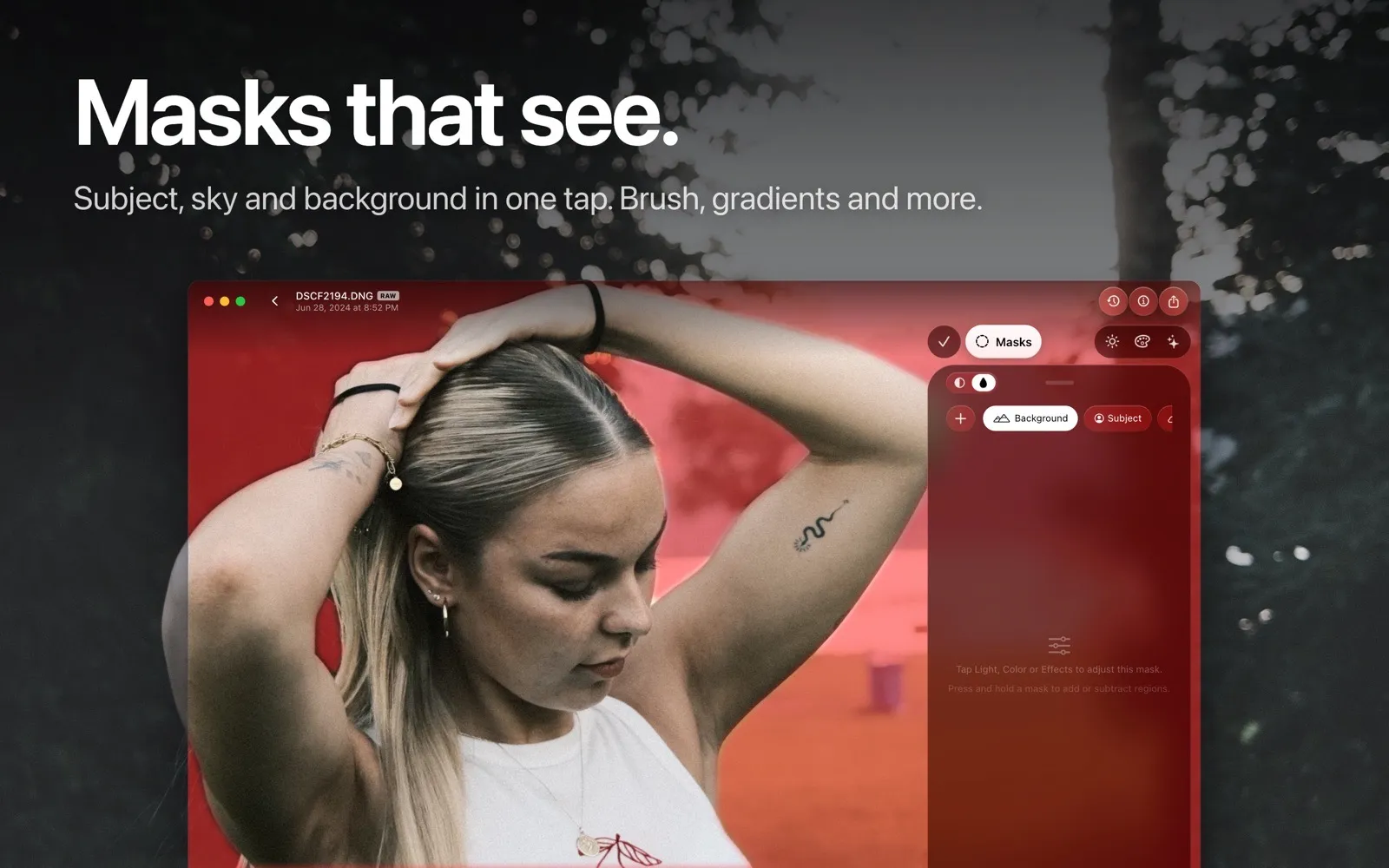
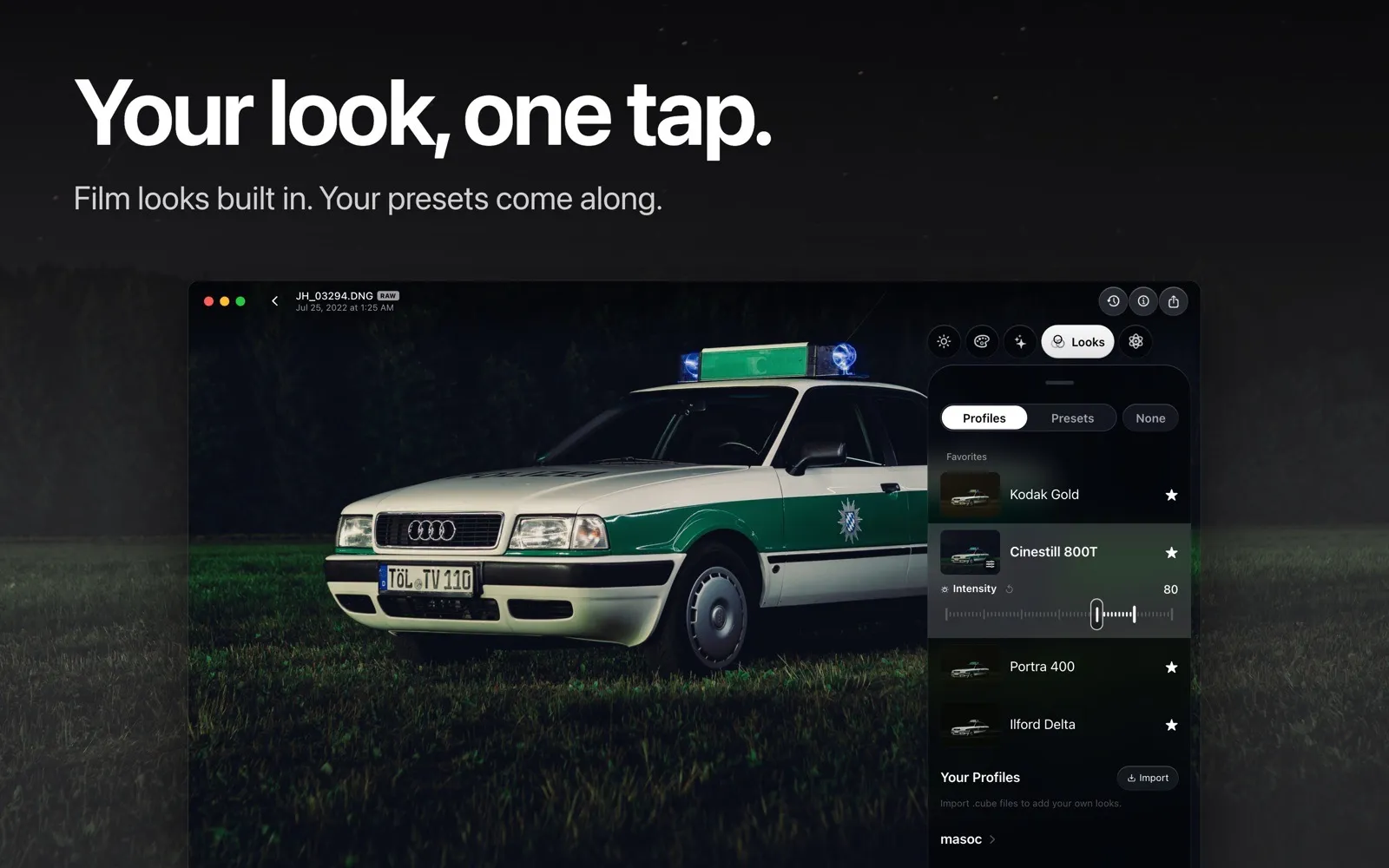
masoc edits RAW photos and Apple Log video, plus thirteen other camera log profiles, with exposure, Kelvin white balance on RAW, an eight-band colour mixer, colour grading, calibration, texture, clarity, dehaze, grain and vignette, and every slider shows and accepts an exact value. Subject, sky and background masks, depth for background blur and retouching run on the device, alongside linear, radial and brush masks that combine in chains. It has 22 built-in film-inspired looks, imports .cube LUTs and Lightroom .xmp presets, and exports your presets back as .xmp; Smart Edit turns a typed or spoken request into slider changes with Apple Intelligence on the device. Exports go to HEIC, JPEG, PNG or 16-bit TIFF, and optional iCloud sync, off until you turn it on, carries photos, edits and presets between Mac, iPhone and iPad. There is no account, no analytics and no server of its own, and the App Store label says no data is collected. Mac App Store only; the Mac app needs macOS 26 or later on Apple silicon.
Install masoc
Download it from the links above, or install it from the Terminal:
mas install 6777549830 Mac App Store CLI: This works once your Apple Account has the app. The first time, get it from the Mac App Store.
Questions about masoc
Is masoc free?
masoc is free to download and use, with paid upgrades for extra features. Price: Free with every tool and three exports; then $3.99 a month, $24.99 a year or $69 once, one unlock for Mac, iPhone and iPad with Family Sharing (US prices, in-app purchases).
Where can I download masoc for Mac?
Download masoc from the Mac App Store and the developer's website (masoc.app). MacWorthy links only to official sources.
Can I install masoc from the Terminal?
Yes. With Mac App Store CLI, run mas install 6777549830. This works once your Apple Account has the app. The first time, get it from the Mac App Store.
Which macOS version does masoc need?
The Mac App Store version of masoc requires macOS 26.0 or later.
What are good alternatives to masoc?
Other design & photo apps for Mac worth a look are bitLight (one-time purchase), Flipic Lens (free + pro), Photomator (subscription) and FloatViewer (free + pro).
Other design & photo apps like masoc

bitLight
A one-time-purchase RAW editor for culling and developing shoots on Apple silicon.
Flipic Lens
A fast photo viewer and culling tool that works straight from your folders.
Photomator
Powerful photo editing for your Photos library.

FloatViewer
A borderless image viewer that floats above your work, with EXIF, histogram and OCR.
RevelRaw
A RAW photo editor that ranks film-style looks for each frame and syncs edits across a shoot.
Pixelmator Pro
A pro image editor, built entirely for the Mac.
PixRoom
Local photo and video library manager with on-device AI search.
Affinity
Pro vector, pixel and layout tools in one app.